Shipping from UK NO TAX

Showing posts with label vxdiag vcx nano ford. Show all posts

Monday, 20 July 2020

Ford / Mazda IDS V118.01 Download Free and Install

Ford IDS 118.01 is verified working fine with VCM2 clone and vxdiag vcx nano by running with win7/8/10 32/64bit.
Download Free 
Ford IDS V118.01
Mazda V118.01
IDS patch for VCX Nano
 
OS: win7/8/10 32/64bit 
 
Language:  English, German, French, Italian, Dutch, Spanish, Swedish, Finnish, Danish, Norwegian, Portuguese etc
 Compatible with VXDIAG VCX NANO for Ford Mazda (USB & Wifi version ) vxdiag vcx pro, vxdiag full, vcm2 clone (using vxdiag solution) etc.

How to install Ford /MAZDA IDS V118.01 For VXDIAG VCX NANO & VCM2  video: https://youtu.be/0UoRauT_N5E

Procedure


Open the folder "Ford Install", then "IDS-118.01_Full".


How to install Ford IDS 118.01 win7/8/10 32/64bit 1


Choose IDS language.
How to install Ford IDS 118.01 win7/8/10 32/64bit  2


Recommend you restart the computer.
How to install Ford IDS 118.01 win7/8/10 32/64bit 3


Welcome to the InstallShield Wizard for IDS.
How to install Ford IDS 118.01 win7/8/10 32/64bit 4

Agree the license agreement.

Please select the destination drive, then click on "Next".

IDS is configuring your new software installation.
How to install Ford IDS 118.01 win7/8/10 32/64bit  5


Updating the database.
How to install Ford IDS 118.01 win7/8/10 32/64bit 6

Reboot the computer.
How to install Ford IDS 118.01 win7/8/10 32/64bit  7

Open the folder "Ford Install", then "VCI_Software_1.0.0.0." to install until successfully.
How to install Ford IDS 118.01 win7/8/10 32/64bit 8

How to install Ford IDS 118.01 win7/8/10 32/64bit  9

How to install Ford IDS 118.01 win7/8/10 32/64bit  10

Open "VCI Manager (Ford) 19.04.28".
How to install Ford IDS 118.01 win7/8/10 32/64bit 11

How to install Ford IDS 118.01 win7/8/10 32/64bit  12

Open "F-M_Patch" then copy "IDSPatch" and paste it on the desktop.
How to install Ford IDS 118.01 win7/8/10 32/64bit  13You need to connect VCM2 (or vxdiag vcx nano) and car now.

Open "IDSPatch" on the desktop, choose "Dealer type: non-dealer" and Country "Botswana", then "confirm".
How to install Ford IDS 118.01 win7/8/10 32/64bit 14
Welcome to IDS 118.01 menu.
How to install Ford IDS 118.01 win7/8/10 32/64bit 15
Choose "Start New session" -> "All other", then confirm.

Operation in process.

Vehicle specification.
How to install Ford IDS 118.01 win7/8/10 32/64bit 17

Confirm.
How to install Ford IDS 118.01 win7/8/10 32/64bit 17
Self test.
How to install Ford IDS 118.01 win7/8/10 32/64bit  18
Powertrain -> Engine -> retrieve CMDTCs.
How to install Ford IDS 118.01 win7/8/10 32/64bit 19
Set the ignition switch to ON.
How to install Ford IDS 118.01 win7/8/10 32/64bit  20

Reading continuous DTCs.
How to install Ford IDS 118.01 win7/8/10 32/64bit  21

How to install Ford IDS 118.01 win7/8/10 32/64bit  22

Job is done.


Good luck!

Source:https://www.obdexpress.co.uk/service/how-to-install-and-download-ford-mazda-v118.html


Monday, 25 November 2019

VCM II vs FLY FVDI J2534 vs VCM IDS 3 vs VCX NANO

Purpose: to initialize module on 2011+ Ford cars and vans like 2013 Ford transit.

Tools to recommend:
VCM II clone
FLY FVDI J2534
VXDIAG VCX NANO for IDS Ford
VCM IDS 3

  1. FLY FVDI J2534 Test Reports / Reviews:
I went for FLY FVDI J2534 after all. Paid only 128eur+free shipping in Europe from obdexpress.co.uk. I have received it in a week after I paid. I have finally managed to initialize PCM online on my 2013 Transit. So far so good, everything works perfectly. I think I made the right decision. Works with the latest IDS software, downloaded directly from official website.

I did not buy anything. I  installed official version and then I installed a 60mb installer. I start the app with a loader.

FLY FVDI works straight with latest version of official IDS. To program 05/2010 onward PCMs and some specific coding you need to do it online. Simply log in and that's it. It calculates everything and it works.
The ids doesn't need a freeze - fly have a loader for it never times out
but you have to get a new loader each time a new ids comes out and they have stopped doing this from 114
On the other hand, I tried to update a module with JLR SDD v156 with this device on a 2015 Evoque and it failed. Luckily nothing happened, I was lucky. Next time, I will try with Actia XS 2G

Just a side note. Successfully programmed with fly fvdi vcm new dashboard on 2004 and 2008 fiesta/focus, key learning, new ECU on 2014 ford transit (online programming).
It does not see some modules like AC module on 2013 ford cmax. Could not program new fuel pump injection on 2000 2.0tddi focus. (It returned error every time)
Overall, it is a great tool for the money. Did its job for me.

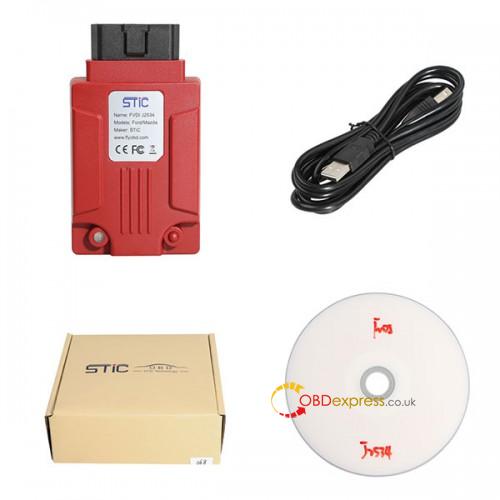
Here is the full package of FLY FVDI J2534 that I received:
FLY FVDI J2534 01
  1. VCM II HQ clone reviews:
VCM II HQ clone is best tool of that bunch, but be aware that you will still need incode/outcode for key/security related work. You do not normally need this for programmable module installation so long as there is already a PCM present which can be read by the VCM.
Pretty sure VCM II HQ clone is a native install.
SP177, Sp177-C, Sp177-C1. Are supposed to be the most reliable clones. I use
Sp177-C:
http://www.obdexpress.co.uk/wholesale/ford-vcm-ii-diagnostic-tool-wifi-card.html
SP177-C1: http://www.obdexpress.co.uk/wholesale/best-ford-vcm-ii-diagnostic-tool-wifi-wireless-version.html
sp177 (in stock):
http://www.obdexpress.co.uk/wholesale/best-quality-ford-vcm-ii-oem-diagnostic-tool-ids-wireless.html

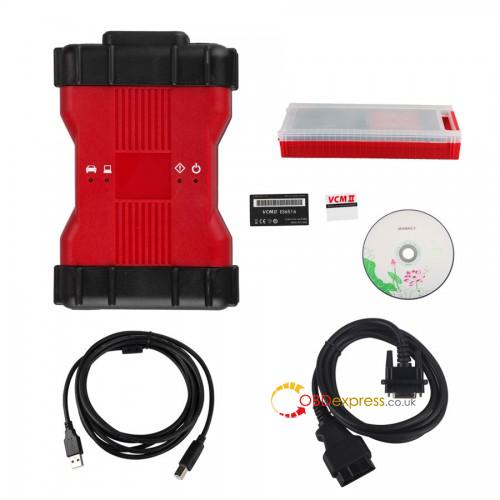
Here is the VCM II HQ clone (sp177) package:
 Vcm2 Clone Hq 02

  1. VXDIAG VCX NANO for IDS Ford test reports:
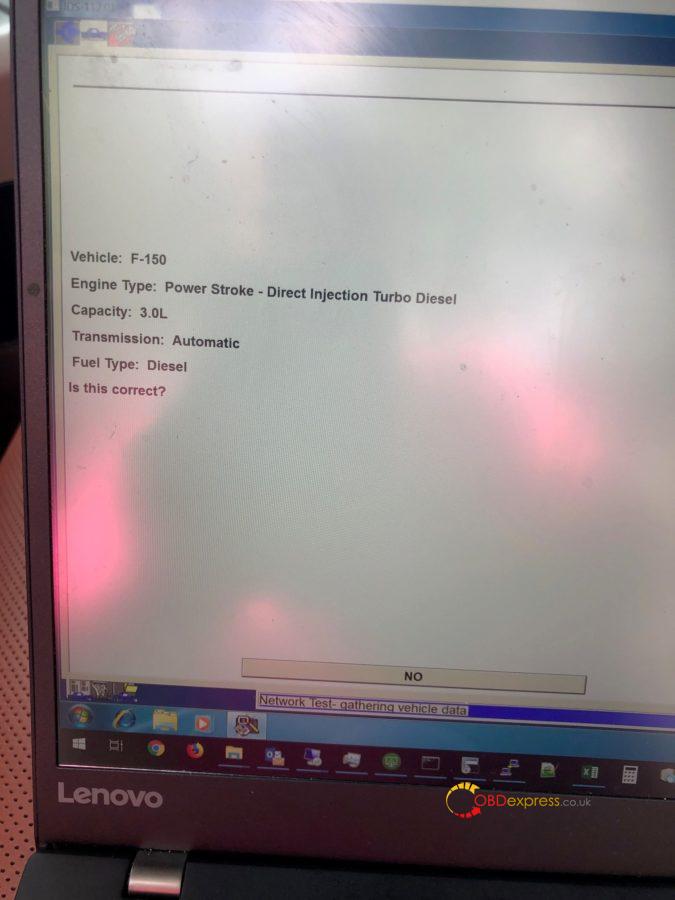
I bought a VXDIAG VCX nano and it read 2018 3.0l F150!
Vxdiag Ford F150 03

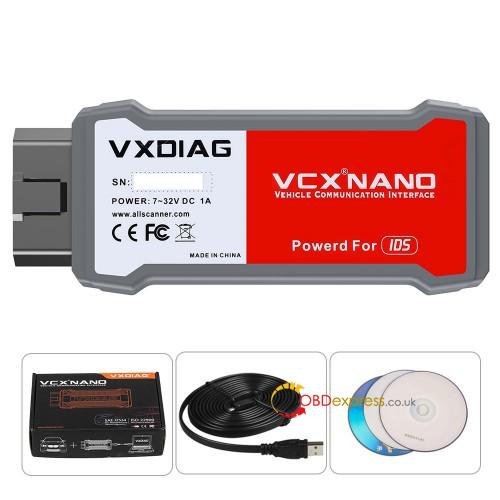
Here is the outlook of VXDIAG VCX nano:
Vxdiag Nano Ford Ids 04
Thanks.


Source:http://blog.obdexpress.co.uk/2019/11/26/2013-ford-transit-ecu-initialization-sid208-which-tool/

Sunday, 6 October 2019

VCX Nano Ford IDS Or ELM327 ?

SP177-C1 is the best VCMII clone, but it’s too hot and sold out of stock always.Here, obdexpress.co.uk recommend two tool alternatives of VCM II Clone:
VCX Nano Ford IDS and ELM327, they can run ForScan and the price is cheaper than VCM2 Clone

1. Decent VCX Nano for Ford

There’s various clones of fords VCM hardware but the cheapest is the VCX Nano. There are however fake ones out there so try and find somewhere with reviews so you can make sure it’s legit. I got one from here
VXDIAG VCX Nano for Ford


***You need the module programming hack .You have to activate the timer then go back to module programming then it works. Anyway, it depends on car model and year.

Connect to a 2005 Ford Five Hundred, recognized (Good)

Programming:
A required file “Extendprogramming.exe”, download on mega:
Decompressed -> select the car brand you want.

I want to program a key to the vehicle PATS system as I only had one key when I brought the car and really wanted a spare in case of loss or damage
This VCX nano for Ford & Mazda device was able to delete all old keys from the system then and add 2 new keys, whilst I was there I did some software updates on the PCM.

Installation tip:
With v106.2 running in a VMWare virtual machine. I found that, even though the laptop was within the recommended spec, it just wasn’t up to it whilst running as a virtual machine. Of the three vans I tried it on it could only read the Car Configuration Parameters off one of them, but didn’t always fail with the same error!

So I loaded a native v86.04 on the same laptop and the VCX Nano has worked faultlessly so far. My feeling is the laptop performance spec is critical: it seems to fail if there is any data underrun.

2. ELM327 running ForScan

You could also look at using ForScan. It’s free software and does most of the stuff IDS does (Can’t do ECU update but can do pump learn etc) You need to buy an ELM327 to use that but they are only €15.

Forscan and a decent ELM327 is all you need. It will do ~90% of what IDS can do, including all the learns and valve resets etc… You can get Bluetooth ELM327’s but be aware that they can be a bit “flakey” sometimes, plus the Android and iPhone apps don’t have the full functionality of the Windows-based version.

I use an old W7 laptop with Forscan loaded on it and a “USB” cable type ELM327 and it works fine. TBH, Forscan is a lot more user friendly than IDS…don’t get me wrong, IDS is brilliant if you can get it to work with a VCM-2 clone but we’ve had a lot of trouble with a lot of the Chinese clones…some work but a lot don’t…it’s a bit of a lottery.

Tuesday, 27 February 2018

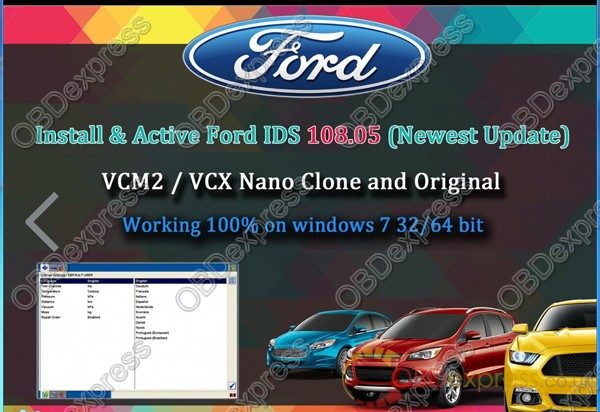
How to update VCM2 SP177C1 to Ford IDS 108.05

(02/27/2018)Ford VCMII IDS software is updated to version 108.05.
ford-ids-108.05-download(1)
Ford IDS 108.05 download link:

Version: 108.05 (Newest)
Date: Feb. 28th, 2018

Activation:FREE, IDS 108.05 activated by obdexpress.co.uk

Security: 100% tested and safe to use

Functionality:
basic obd2 diagnostic test…Yes
Ecu programming…Yes
Key programming…Yes
Online programming…Yes

Compatibility:
VCM2 (clone or original)…Confirmed!
VXDIAG VCX NANO Ford…Confirmed!
Note that: the best clone VCM2 SP177-C1 is tested OK! Use with relief.

Wednesday, 13 September 2017

How to use VCM2 clone for Ford module reprogramming

VCM2 manual: Ford IDS reprogram PCM/ECM modules.

What is a reprogram engine control module?
The Engine Control Module (also called the Powertrain Control Module or PCM) is the brains of the engine management system. It controls the fuel mixture, ignition timing, variable cam timing and emissions control

What is the PCM on a Ford?
A power-train control module, abbreviated PCM, is an automotive component, a control unit, used on motor vehicles. It is generally a combined control unit, consisting of the engine control unit (ECU) and the transmission control unit (TCU).

What is flashing a ECM?
ECM ECU PCM TCM FLASH – ENGINE COMPUTER VIN PROGRAMMING FLASH & REFLASH. “Flashing” refers to reprogramming automotive engine control modules (ECMs). Almost all new vehicles today are now flash programmable. Flash reprogramming is an important part of repairs and tune-ups on most 1996 and newer cars.

What is PCM reprogramming?
To reprogram a PCM or other vehicle module, you need a factory scan tool, or an aftermarket scan tool with reprogramming capabilities, or a J-2534 compliant “PassThru” interface tool (or J-2534-1 for 2004 & newer vehicles) that can connect a PC or scan tool to the vehicle’s diagnostic connector or module.

How to do Ford module reprogramming?

When a module such as a PCM is reprogrammed, it is not removed from the vehicle. All programmingis done through the communications network.

You need Ford IDS software, original or crack
You need a HQ VCM2 clone SP177-C or SP177-C1
(VCM2 genuine definitely is the best solution, but a high-quality one should work great, not  cheap crappy tools)

Good tips you may need:

Where to buy VCM2 clone of high quality?

Where to buy VCM2 clone at the best price?

Ford IDS crack download: (TRY ON YOUR OWN RISK)
IDS 104:

To reprogram an existing module, follow these steps:

(please connect the cloned VCM2 unit to the car and run Ford IDS)

Step 1:Select the toolbox tab at the top of the screen
Step 2: Select “Module Programming”
Step 3: Select the tick mark or the Enter key
Step 4: Select “Module Reprogramming”
Step 5: From the fly out menu, select the type of module to be reprogrammed
Step 6: Select the tick mark or the Enter key
Step 7: The application will compare the current calibration level to the latest one available for thatvehicle. A message will appear.
Step 7A: If no later calibration is available, a message will appear indicating this. Select the tickmark or the Enter key to return to the Module Programming menu.
Step 7B: If a later calibration is available, a message will appear asking if you want to reprogramthe module with this calibration. If you do not want to reprogram the module, select “No”. You willbe returned to the Module Programming menu.
Step 8: If you want to reprogram the module, select “Yes” in response to the question “Do you wantto program the vehicle with this calibration?”
Step 9: Make sure that an Internet connection has been established and then select”Confirm”
Step 10: You will be presented with a screen that recommends that you carry out Self Test. If youchoose to complete this test, you will receive a list of Diagnostic Trouble Codes (DTC’s) that havebeen set on the vehicle. When finished viewing this list, select “Exit”.
Step 11: Follow the on-screen instructions to prepare the vehicle and turn the ignition key off and on.
Select the tick mark or the Enter key after each one.
Step 12: If necessary, apply the reprogramming label to the PCM
If an emissions recall has been performed or a required emissions-related TSB has been completed,an Authorized Modification label must be placed on the PCM. These labels can be purchased at theparts counter of a Ford or Lincoln/Mercury dealership.
Step 13: Select the tick mark or the Enter key to return to the Module Programming menu.


a very important note:
Ford VCM2 IDS Error Code:11.0×0 851082 when PCM reprogramming

It’s aimed to help how to reprogram/reflash Ford PCM via IDS software esp. for those with  Error Code:11.0×0 851082 will be shared here by other users.

Error message:
“The operation cannot begin because the PCM failed to complete a service procedure. Perform PMI on the PCM to resolve the issue.”

Possible scanners working with:

Customer solutions:
Customer A:
Turnoff your firewall

Customer B:
Uninstall fmp and reinstall it. I have had this happen before.
I have had some new pcm be un programmable.
And just for reference. Fmp doesn’t like Google. Use 32 bit processor as well.
I had to slow my computer down from 64-32 because fmp would not work correctly with 64.
Good luck.

Customer C:
If you are checking PCM for up-dates, Ford will advise on 6.0L powertrain if there is a reflash avail for TCM, FICM or PCM, if it states there is no update then all three modules are at latest level, no action required, I am aware it states to remove FICM relay prior to reflash FICM, this is a carryover note from when we used PDS or WDS to reflash the FICM, if you are using IDS with VMM interface its not required to remove the FICM relay, I have reflashed over 1000 of them this way over the last 7 years, as always make sure the battery stays in the sweet spot @ 13.5 volts, make sure your laptop has sufficient power, I always plug in, make sure cables to veh and laptop are safe from accidental disconnect, Good luck!

Customer D:
If you try to VCM2 genuine or clone to make reprogaming well you need IDS V98.01 or higher.
It would be good to check if during initiation programming interface output 18,5V on pin 13 in OBD connector.

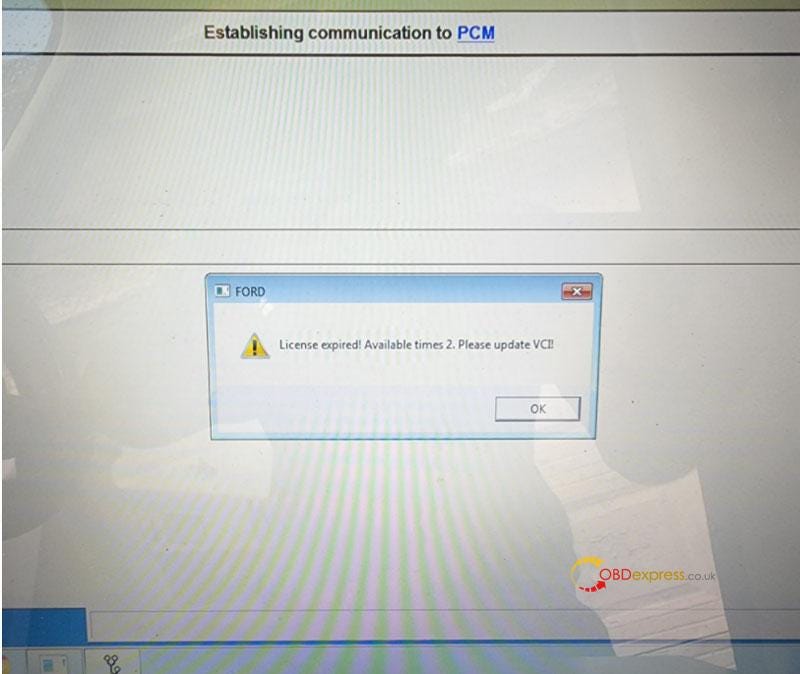
Free Download Ford VCM2 V126 to Solve License Expired Issue

  Problem: My Ford VCM2 software has popped up an attention: “License expired! Available times 2. Please update VCI!” What does this mean?...