Shipping from UK NO TAX

Showing posts with label ford ids. Show all posts

Friday, 10 April 2020

Free Download & Install IDS V117 Ford VCM2

IDS V117 is tested working fine with Ford VCM2 clone, this post is available with the newest IDS software new features, free download links and how to install.

  1. IDS V117 Free download + Installation Guide
Step 1: Download Diagnostic Software, then Install Diagnostic Software:
IDS 117 Full
www.fordservicecontent.com/Ford_Content/IDS/IDS-117.01_Full.exe
FDRS 23.5.7
www.fordservicecontent.com/Ford_Content/IDS/FDRS/FDRS_23.5.7.exe

Step 2: Download VCI Software, then Install VCI Software:
VCI Software 1.0.0.7
www.fordservicecontent.com/Ford_Content/IDS/VCI_Software/VCI_Software_1.0.0.7.exe

Step 3: Download Diagnostic Software Updates (if available)
Then Run Diagnostic Software Updates:
Update IDS 117.04
www.fordservicecontent.com/Ford_Content/IDS/SoftwareUpdates/IDS-117.04.exe
See IDS Update Release Dates below:
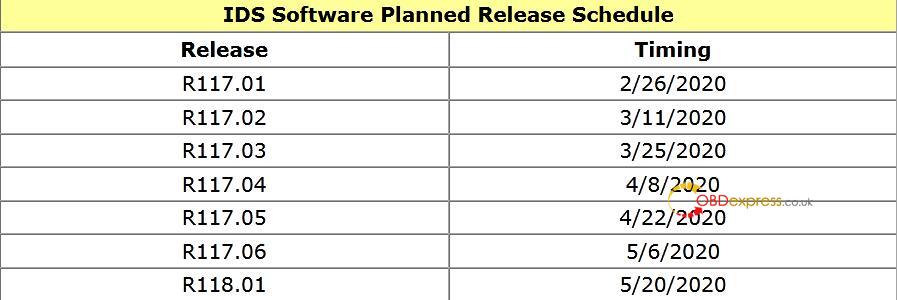
Ids V177 Ford Vcm2 New Features 0

Step 4: Download VMS
Then Install VMS
(Optional - VCMM Users Only)
VMS v1.1.1034.0
www.fordservicecontent.com/Ford_Content/IDS/Vehicle_Measurement_System/Vehicle_Measurement_System_v1.1.1034.0.exe
Click here for VMS Manual

After Installing: Diagnostic Software Updates will pop up on Mondays and Thursdays when available.

  1. VCI firmware what's new - contain details on this new software.
IMPORTANT: Changes to VCM II and VCMM
VCM II & VCMM Device Software (“VCI Software”)
VCI Software
  • Previously, installing IDS or FDRS would install everything that is needed in order to use a VCM II/VCMM with any of the Ford diagnostic software (IDS, FDRS & VMS). There is now a new package separate from
  • IDS and FDRS, called VCI Software.
  • This VCI Software package WILL NEED to be downloaded in order to use your VCM II or VCMM, regardless of whether this is the first time you have downloaded IDS/FDRS.
  • This will improve download and installation time, as previously you were downloading and installing these components with BOTH IDS and FDRS.
  • You WILL NOT need to download and install this package every release, only when there is an update to the loaded code on the device.

VCI Launcher
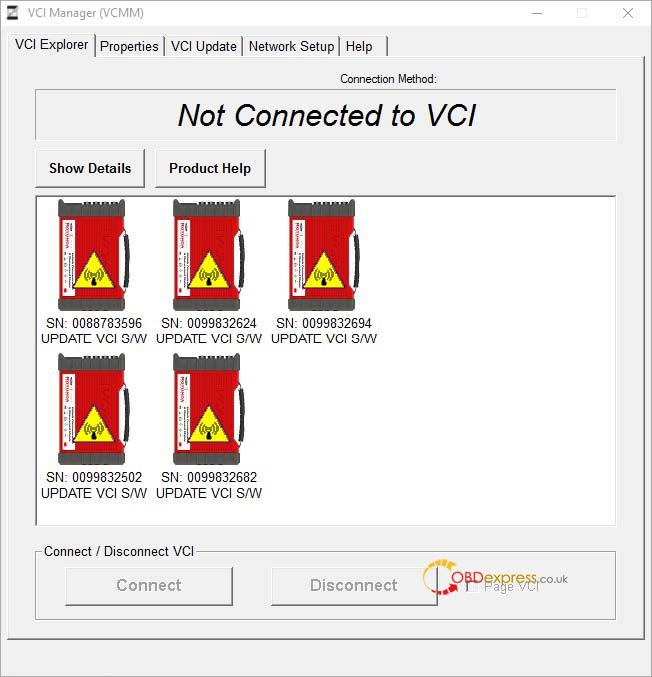
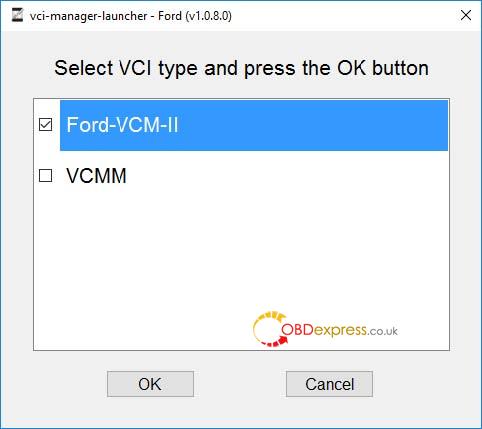
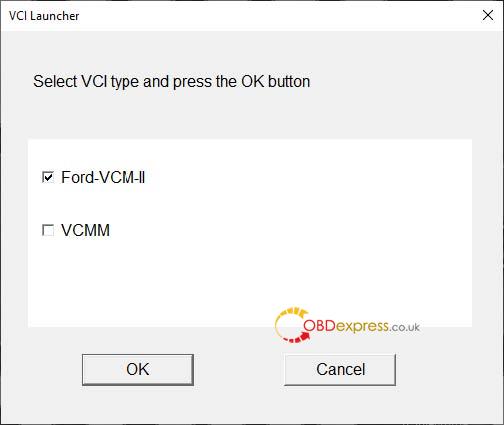
When launching the VCI Manager, you will be prompted to select which device (VCM II or VCMM) you intend to use.
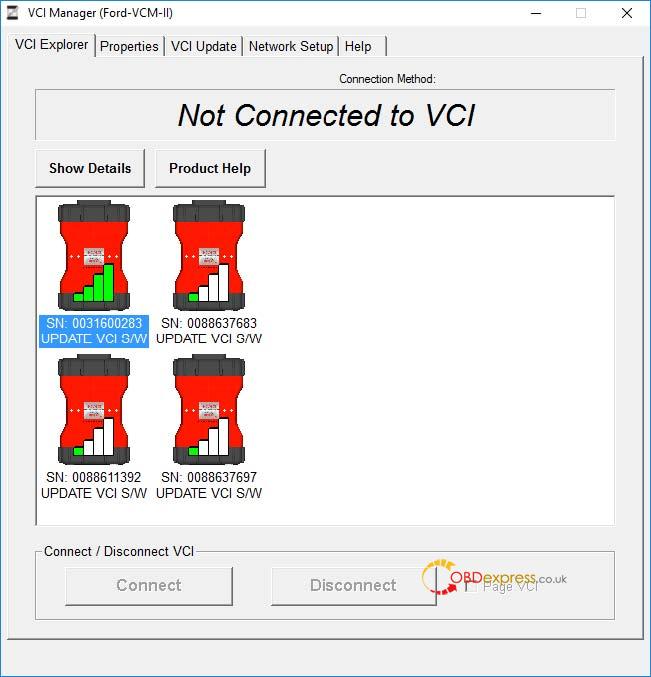
Only the devices of the selected type will appear in the VCI Manager. If you wish to switch device type, you will have to close the VCI Manager and select the other device.
Note: If the device is already connected via USB, you will bypass the selection screen.
Ids V177 Ford Vcm2 New Features 01
Figure 1: The VCI Launcher desktop icon
Ids V177 Ford Vcm2 New Features 02
Figure 2: The main screen of the VCI Launcher
Ids V177 Ford Vcm2 New Features 03
Ids V177 Ford Vcm2 New Features 04
Figure 3: A side-by-side comparison showing the VCM II Manger and the VCMM Manager

Changes to IDS
  • IDS now requires you to select your device type at the launch of IDS.
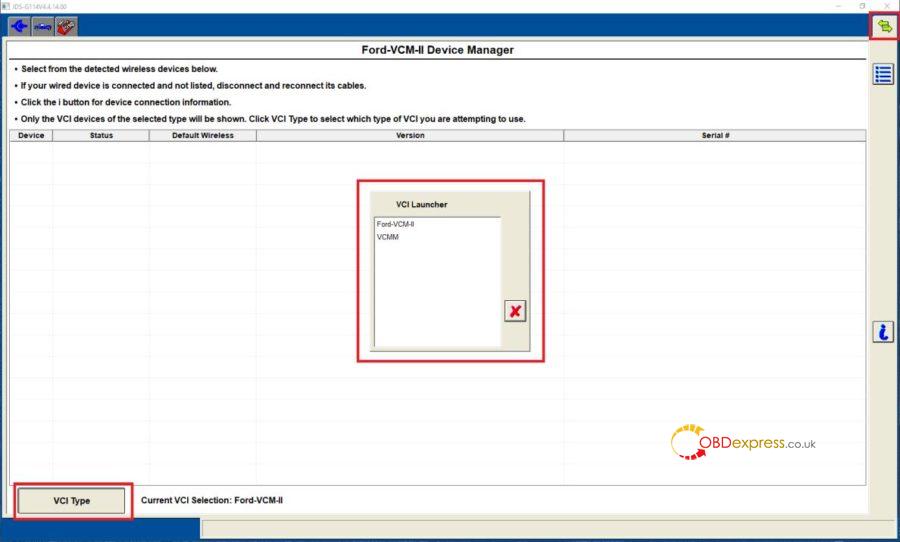
  •  If you wish to switch devices while in IDS, you need to navigate to what was previously the Wireless device manager (the green arrows in the upper right hand corner), select the button at the bottom left which says “VCI Type” and select which device you wish to use. You can do this at any time while in the IDS tool.
  •  Note: It is recommended if you previously pinned IDS to the task bar, that you unpin it in R115, and then re-pin it while on the device selection screen.
Ids V177 Ford Vcm2 New Features 05
Figure 4: The device selection screen when launching IDS.
Ids V177 Ford Vcm2 New Features 06
Figure 5: The new device manager screen. Note the icon in the top right, the VCI Type button in the bottom left, and the VCI Launcher selection window.

VCI Software Uninstaller
  • There is now a new component included in the VCI Software package called VCI Software Uninstaller.
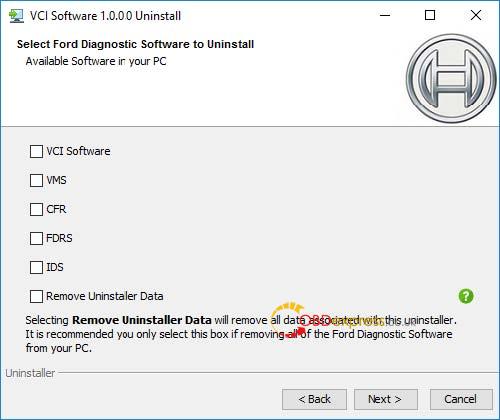
  • This gives you the ability to uninstall all Ford Diagnostic components (IDS, FDRS, VMS, CFR, and VCI Software) from one central location, rather than having to uninstall each component individually.
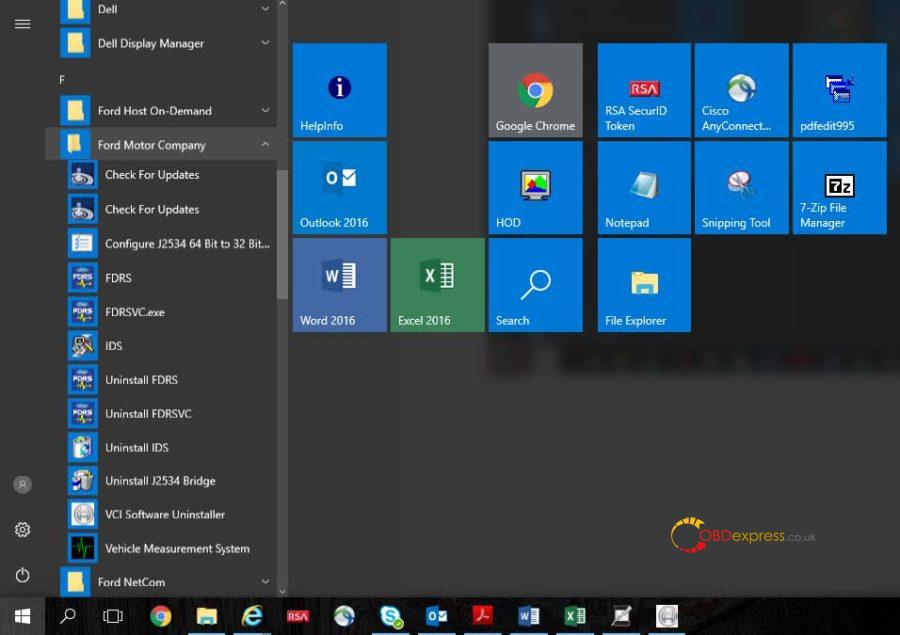
  • This uninstaller can be accessed by going to StartFord Motor CompanyVCI Software Uninstaller. After following the prompts, you can select which software applications you wish to uninstall.
  • Note: If you are removing all components, it is recommended you select “Remove Uninstaller Data” to remove successfully all Ford components from the PC.
Ids V177 Ford Vcm2 New Features 07
Figure 6: The location of the VCI Software Uninstaller
Ids V177 Ford Vcm2 New Features 08
Figure 7: The main screen of the VCI Software Uninstaller

Best Ford VCMII with IDS V117 source:
http://www.obdexpress.co.uk/wholesale/ford-vcm-ii-diagnostic-tool-wifi-wireless-2.html
OBDexpress.co.uk Office Blog all rights reserved  Free Download & Install IDS V117 Ford VCM2

Tuesday, 24 December 2019

How to change GEM settings in Fiesta 2003 ?

How to change GEM settings in Fiesta 2003 ?
I need to check or change the settings of the GEM in an Fiesta MK6 (build 2003).
Anyone knows a software tool to do this?
I have an ELM327 (clone) adapter at hand. Also an UCDS interface.

There are two software tools to do this:
  1. IDS/VCM
  2. Forscan

In details:
Ideally you want IDS/VCM for this.
At this age you can do anything to this car using a VCM with Ford IDS v86 and C81 calibrations.
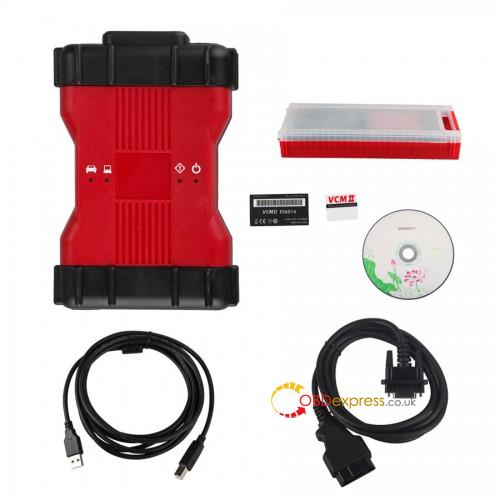
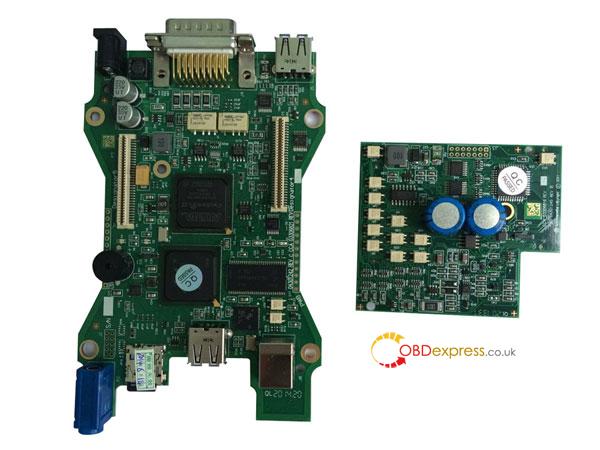
Advise the best VCM2 Ford IDS V101 (with double pcb, no wifi):
http://www.obdexpress.co.uk/wholesale/best-quality-ford-vcm-ii-oem-diagnostic-tool-ids-wireless.html
Vcm2 Change Gem Settings In Fiesta 2003 01
Vcm2 Change Gem Settings In Fiesta 2003 02

Capable alternative: Forscan  
ForScan is working fine. I had this, but an old version without capability to program. Downloaded the recent version from forscan.org and all worked like charm! This is a really great tool and all for FREE!

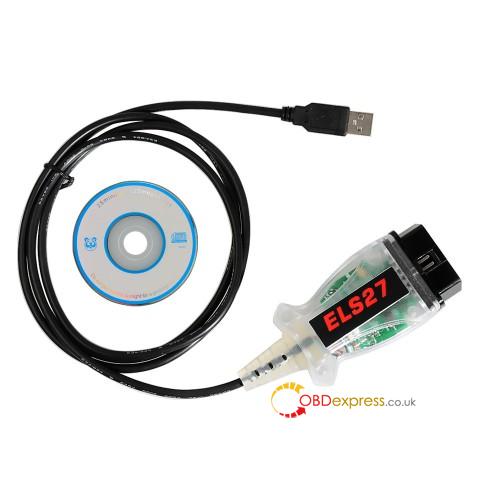
Another working alternative: FORScan Scanner clone
Test reports: China clone bought two days ago, but DTC, direct coding and other functions work.
Forscan Change Gem Settings In Fiesta 2003 03
Forscan Change Gem Settings In Fiesta 2003 04
Forscan Change Gem Settings In Fiesta 2003 05
Source: http://www.obdexpress.co.uk/wholesale/esl27-forscan-scanner-for-ford-mazda-lincoln-mercury.html

Wednesday, 18 September 2019

(Solved) Ford IDS license not found & Quickloader license expired

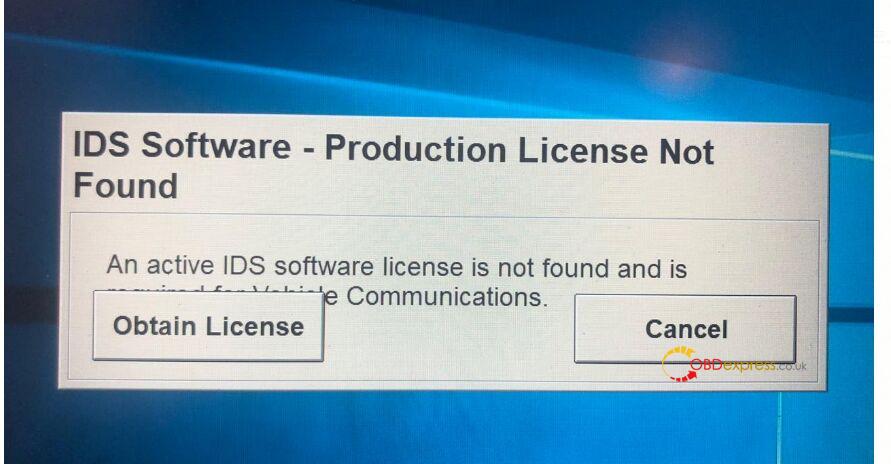
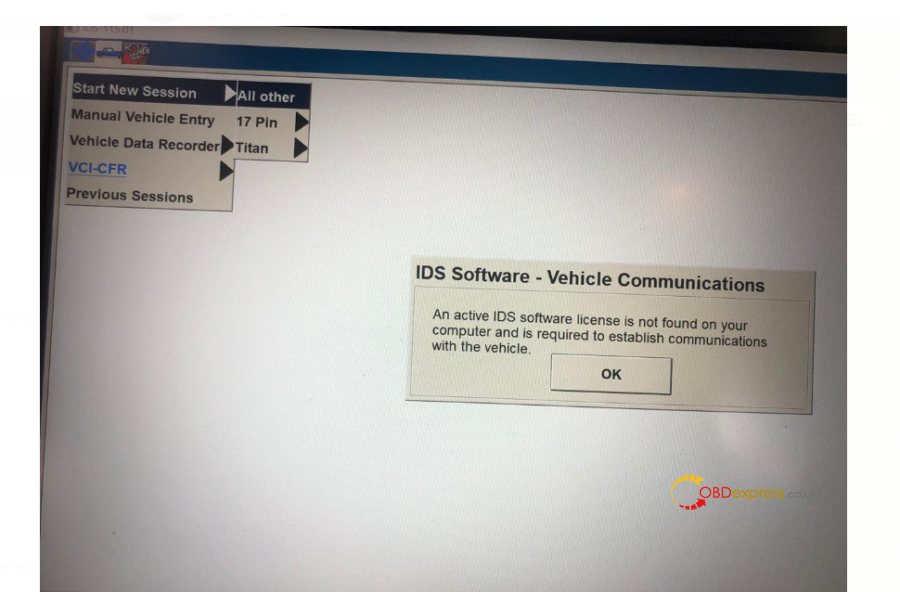
obdexpress.co.uk engineer offer the solution to error " Ford IDS3 software license is not found" and Quickloader license expired.

First come several error images of " Ford IDS3 software license is not found".
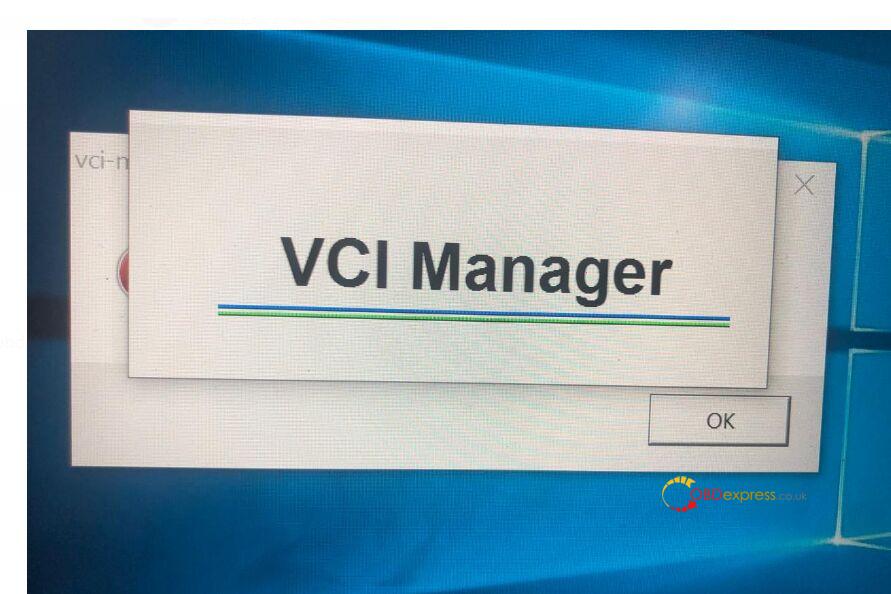
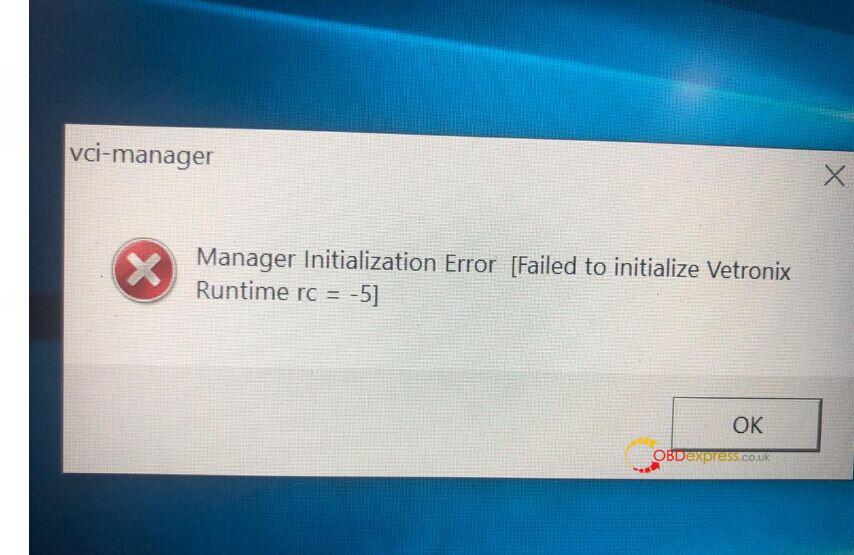
ford-ids3-software-license-is-not-found-solution-01 ford-ids3-software-license-is-not-found-solution-02 ford-ids3-software-license-is-not-found-solution-03

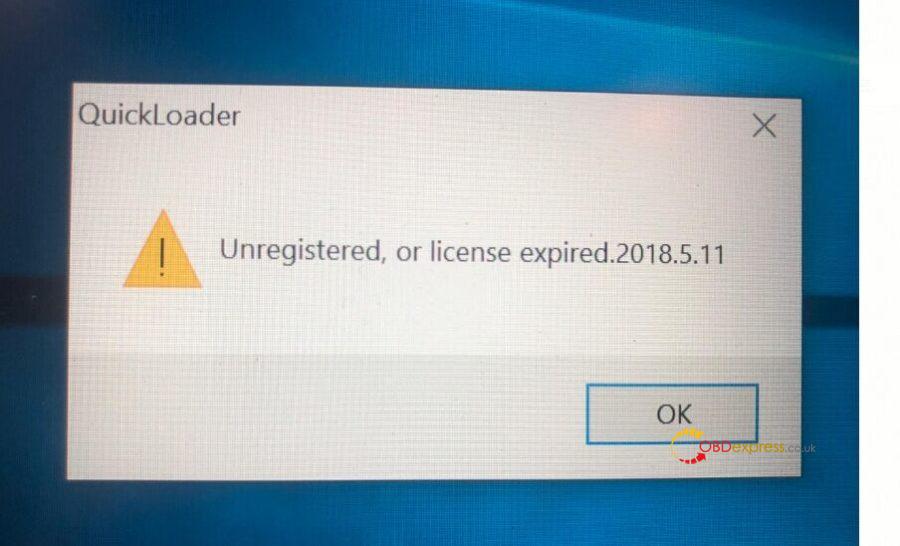
Then Quickloader error "Unregistered, or license expired 2018.5.11"
ford-ids3-software-license-is-not-found-solution-04 ford-ids3-software-license-is-not-found-solution-05

Working solution:
Step 1. Free download Ford IDS V113 on mega (from Fly):
https://mega.nz/#!KRh3wA5A!k79Lj9jmwhKOyMhCPQkrCcW-kcox8tx_SH424R0HER8

Step 2:
Download newest Quickloader V5.11 on mega:
https://mega.nz/#!frowWY7L!uc1J4S71EhrC_XtB_irXuSXFiE5TFaOR1oLU4WuUkPI

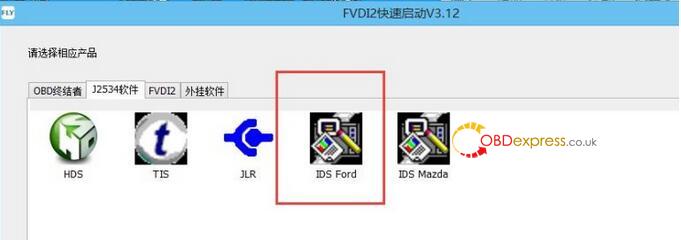
Step 2: Open "FVDI2 QuickLoader" to click on "IDS Ford", start to do diagnosis job.
Note: You have to open "IDS Ford" from "FVDI2 QuickLoader", otherwise you may get error.
ford-ids3-software-license-is-not-found-solution-06

Finally, Ford IDS will work successfully.

Note: the above working solution is for Fly VCM IDS 3 interface.
ford-ids3-software-license-is-not-found-solution-07 ford-ids3-software-license-is-not-found-solution-08

Good Luck.
Thanks to engineer of www.obdexpress.co.uk

Source:http://blog.obdexpress.co.uk/2019/09/19/fixed-ford-ids-license-not-found/

Wednesday, 13 February 2019

How to solve IDS V108 "Selection not available"

Hello,


I bought ids 108 from your portal and will buy IDS V112 soon but i got problem.
when i wanna module programming i got something like i uploaded in this video (https://youtu.be/NZ4ruRgxshU)
I had error selection not available after entering module programming:
Ford-IDS-Selection-notavailable


Then I downloaded “Ford Extending Programming.rar file from bellow link:  
from internet and I have this now.

And it’s now like in this video:
when I installed ghost image and when i plugged VCM it didn’t find any driver for vcm so i downloaded from internet vcm driver 2~ and its working but maybe its the problem?? do you have driver for this ??

Solution from OBDexpress.co.uk
Reinstall the IDS driver and its working (for windows 7 home premium some people says yes, some people says no, so it depends on your try.) VX Driver VCMii2.2.0.1510 is good also.
 A new problem arose:
but I got another problem after entering programming abs i got this reading “Module part numbers were found in database but database information is incomplete”.
Ford-IDS-Selection-notavailable-02


i can’t use internet because its making this problem with closing automatically
like in video was.

Tip:
Disable the internet connection, if the internet connection is disabled and you got no database then it means VCM2 doesn’t support your car, your car need to online programming with other device instead of VCM2.(i.e fvdi j2534)

Who Like This Article Also Viewed:

Sunday, 16 December 2018

Free Download Ford IDS V112

Free Download Ford IDS V112 
ids-v112.01
Security Version:
Version: V112.01
Multi-language: English,German, French, Italian, Dutch,Spanish, Swedish, Finnish, Danish,Norwegian, Portuguese(European),Portuguese(Brazil)
Compatible with all ford VCM VCM II or VXDIAG NANO Ford IDS sale in the market.
Opearting system: Windows 7 32Bit/ 64 Bit

Thursday, 29 November 2018

Ford VCM2 IDS Windows 10 Migration Tips & Guides
Here you will get to know how to migrate an Ford IDS System to Windows 10.


Part 1: Reason why you should do the migration
Part 2: Preparation before Windows 10 Migration
Part 3: Windows 10 Migration


Part 1:  The reason why you should do the migration

Windows 10 migration on a PC that has IDS installed requires preliminary steps to ensure successful operation. Migrating to Windows 10 without following the procedure below may result in connection concerns with your VCM or VCM II to IDS, IDS license concerns, or an inability to properly install/uninstall IDS on your PC.
You may want to consider remaining on your current Operating System or having an IT professional perform the Windows 10 update.

Part 2: Preparation before Windows 10 Migration

  1. Begin by uninstalling IDS. Click on the Windows Icon > Ford Motor Company > IDS > Uninstall IDS, as

Ford-ids-windows-10-1

  1. Next, select the “Remove” option on the screen
Ford-ids-windows-10-2

  1. When prompted, select “Return License”
Ford-ids-windows-10-3


  1. Next, uninstall the Bosch Software. Click on the Windows Icon > Control Panel > Programs and
Ford-ids-windows-10-4

  1. Select the Bosch VCI Software, and then click on “Uninstall”
Ford-ids-windows-10-5


  1. Once the Bosch VCI Software has been successfully uninstalled, reboot your


Part 3: Windows 10 migration

After you have completed the above steps, your system is ready to migrate to Windows 10. Go to the following URL for Microsoft’s Windows 10 update instructions:

Technical support from http://www.obdexpress.co.uk

Tuesday, 24 April 2018

A lot of software can work with Ford VCM II


This is about Ford VCM 2 software compatibility.

And also with any other software that support Passthru J2534 devices
Why is not working the Mazda IDS for you is that you need to do some tricks to make it works
Maybe will be someone such a kind to tell you how to do it.
All that its shared in public it will be easy KILL it
So you need to make your tools seen by the Mazda IDS Manager and then you can use your Ford VCM 2 with Mazda IDS
Good luck

Credits to mattydr67 who contributed to this thread !


Monday, 16 April 2018

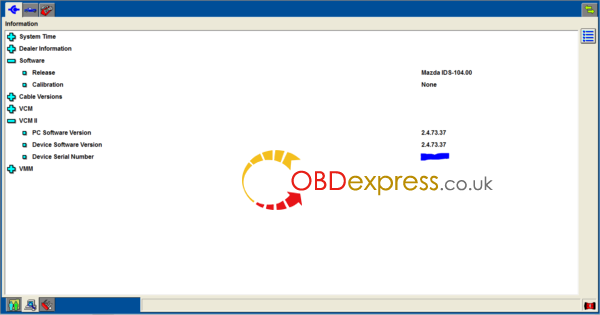
Ford Manager 2.4.73.37 (2.3.85.7): Tested 100% with VCM II & real cars

Yes! The new Ford Manager 2.4.73.37 is working only copy/paste the Ford Manager files over the Mazda Manger one as before.

I tired and works.
If you have a genuine/HQ cloned interface and want to use Mazda ids fully then right now it is better to stick with 2.3.85.7
mazda-ids-104-01
And yes i tested in real car also.

I did a DPF Static Reeneration in a Mazda 3 (BK) 2007
Works like a charm. All Function that I used in that car worked well
If I will see any problems I will be back to 2.3.85.7
But now I wanted to keep it as it is because I don’t wanna chane always the firmware between Ford IDS and Mazda IDS
I have a HQ Ford VCM II not a Mazda VCM II

Btw. I use ALL the Ford Manager installer. ( as it’s installed in Ford IDS partition )

http://blog.obdexpress.co.uk/2018/04/17/ford-manager-2-4-73-37-2-3-85-7/

Monday, 12 March 2018

How to get GM MDI clone to work with Ford IDS?

Does anyone know if my clone GM MDI interface will work with Ford IDS software without limitations?
Also is there anyway to convert my MDI to a VCM II by flashing it? They seem to be very similar.

Possible but not easy…Requires editing of the Dynamic link libary files and more.

i have had MDI Working with it for a long time for personal use
Since version 97.xxx it is easier than say 96.01 becuase when they changed things to block clones in this version, they basically changed the file stucture to that of an MDI.
but whats the point with tools like vxdiag vcx nano flying about for around the £50.00 mark using the same process as i talk about ….they are good working tools for little money that can be thrown away when blocked or damaged and repurchased…..you would need to buy a lot of these buy the time you bought an original VCMII
let me give you an example…with licensed ford ids and clone VCM-II , You are still blocked from server….with genuine VCM-II and good keygened software thing still work 100%…YOU CAN CHECK THIS NOT IN IDS But in ETIS.
the main thing dealer sites look for is genuine hardware but sometimes genuine serial in clone tool is not enough, example JLR SDD
after many years of messing about with this sort of stuff i can honestly say the way to go is…Genuine tools with Genuine software, which is out of most people like you and me’s reach so 2nd to that is genuine tools with GOOD modified software that works in the real world….Some clones work well and are reliable like Vas5054a, Lexia interface...renault can clip….icom a2‘s….sdconnect….interface of good quality…..but when i spend a lot of money on tools i want them to work , software i can always sort myself so i try to buy genuine hw for personal use , way less problems this way…..long winded post i know but i thought i would share my thoughts in general …..Kind Regards


Credits to the contributor from https://cartechnology.co.uk/

http://blog.obdexpress.co.uk/2018/03/13/gm-mdi-clone-works-with-ford-ids/

Thursday, 1 February 2018

How to use Ford IDS 108.01 for diagnostic/programming

VCM 2 SP177-C1 Ford IDS 108.01 user manual of how to use:

Vehicle data reading
Module Programming
Self Test
DataLogger
Powertrain
Electrical
Chassis
Body
Oscilloscope Tools
IDS language setup

In detail...

How to use VCM2 IDS 108 to read vehicle info:

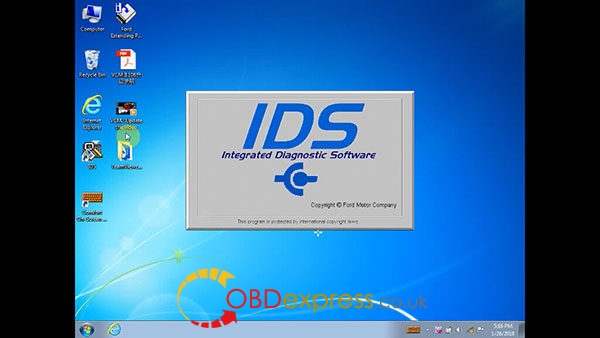
Run IDS Integrated Diagnostic Software
ford-ids-108-win7-download-install-1
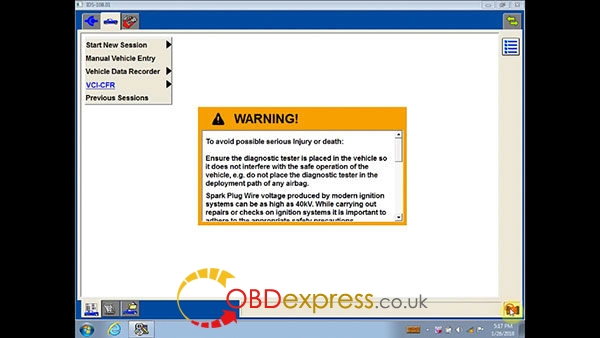
Click on the VCM 2 icon on the bottom left for diagnostic
ford-ids-108-win7-download-install-2
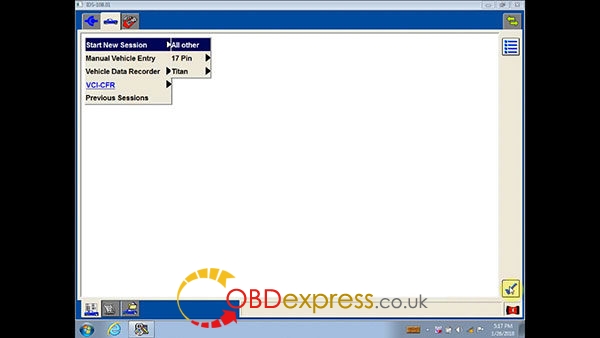
Start New Session, then All other
ford-ids-108-win7-download-install-3
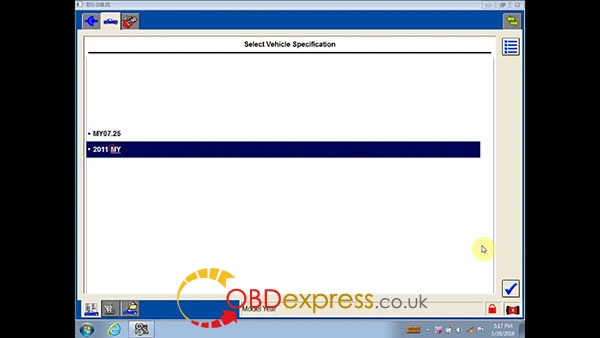
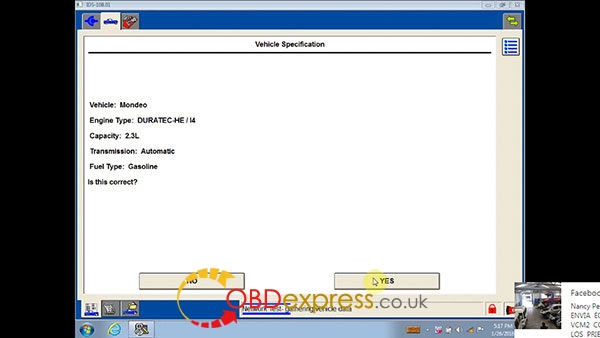
Vehicle specification: 2011 MY
ford-ids-108-win7-download-install-4
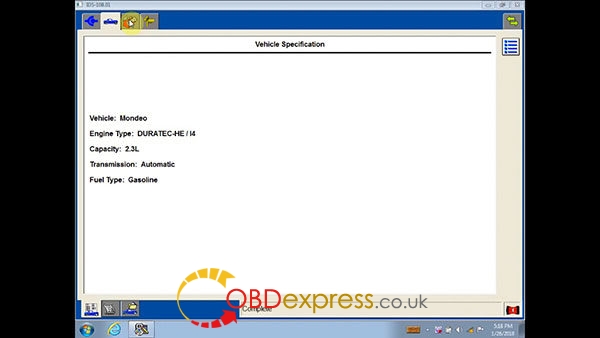
Check vehicle info
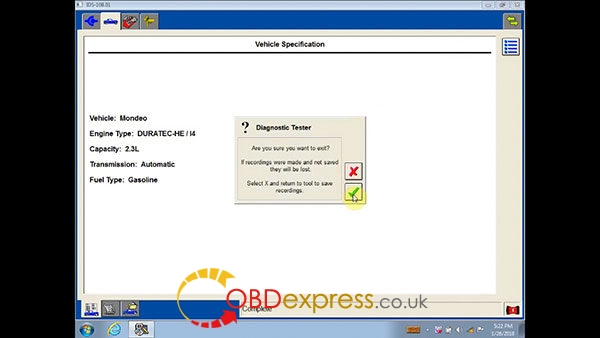
Vehicle: Mondeo
Engine Type: DURATECH-HE/I4
Capacity: 2.3L
Transmission: Automatic
Fuel Type: Gasoline
ford-ids-108-win7-download-install-5
Continue
ford-ids-108-win7-download-install-6
Complete
ford-ids-108-win7-download-install-7

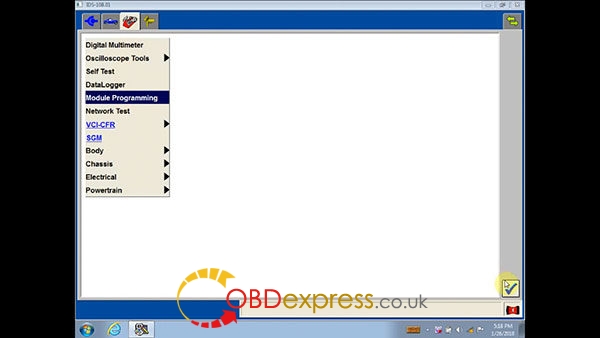
How to use IDS 108 for Ford module programming:

Module Programming
ford-ids-108-win7-download-install-8
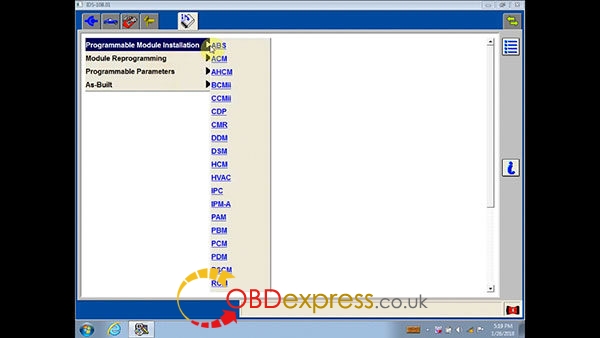
Programmable Module Initialization:
ABS, ACM, AHCM, BCMII, CCMII, CDP, CMR, DSM, HCM, HVAC, IPC, IPM-A, PAM, PBM, PCM, PDM, PSCM, RCM
ford-ids-108-win7-download-install-9
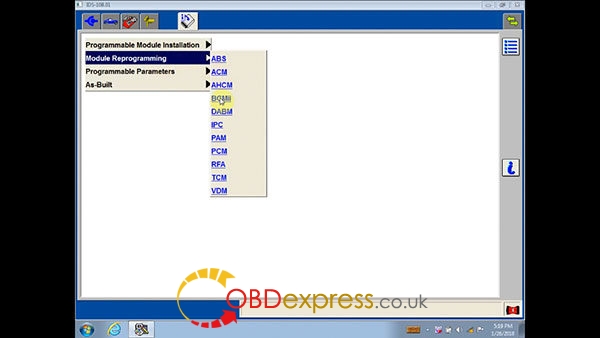
Module Reprogramming:
ABS, ACM, AHCM, BCMII, DABM. IPC, PAM, PCM, RFA, TCM, VDM
ford-ids-108-win7-download-install-10
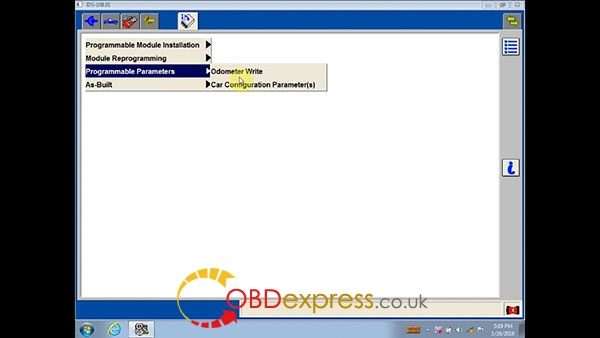
Programmable Parameters:
Odometer Write, Car Configuration Parameter(s)
ford-ids-108-win7-download-install-12
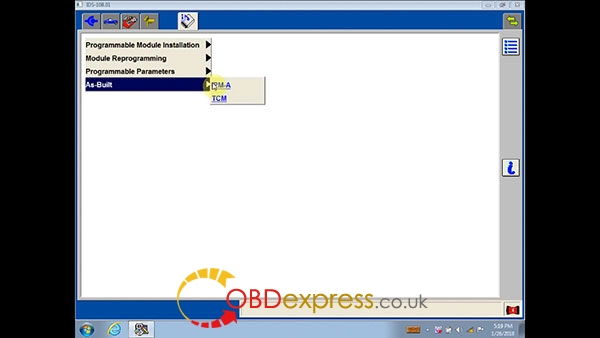
As-Built:
IPM-A, TCM
ford-ids-108-win7-download-install-13
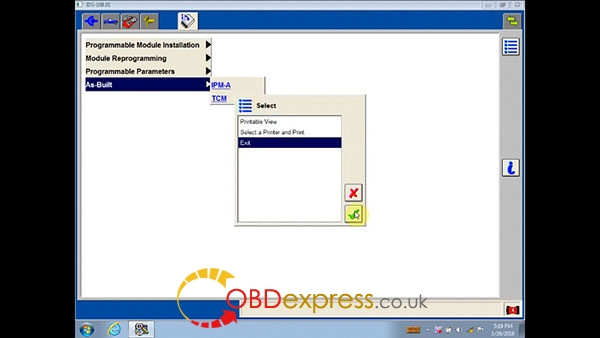
Exit
ford-ids-108-win7-download-install-14

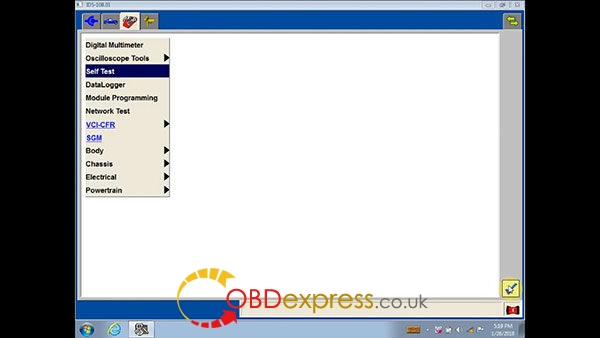
How to do v108 Ford IDS Self Test:

Self Test
ford-ids-108-win7-download-install-15
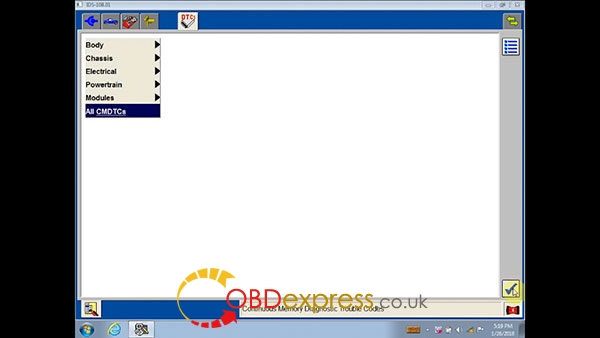
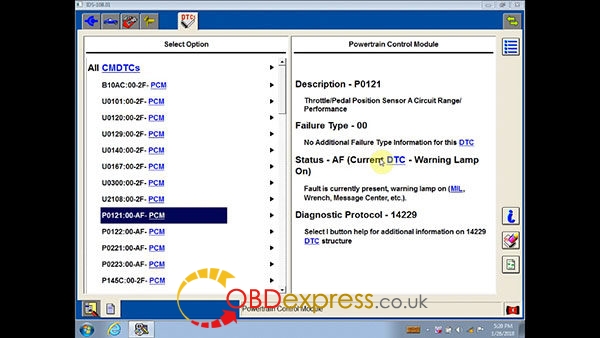
All CMDTCs
ford-ids-108-win7-download-install-16
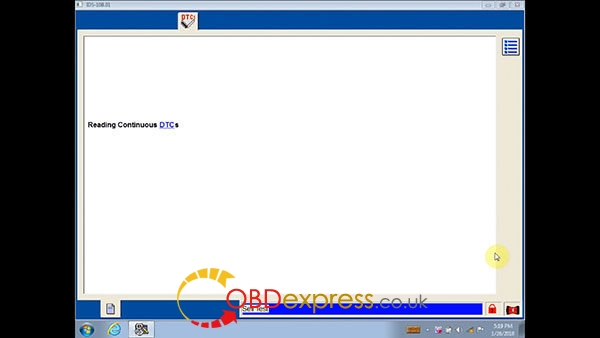
Reading DTCs
ford-ids-108-win7-download-install-17
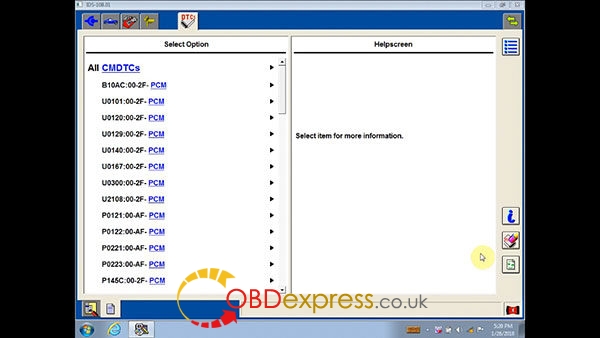
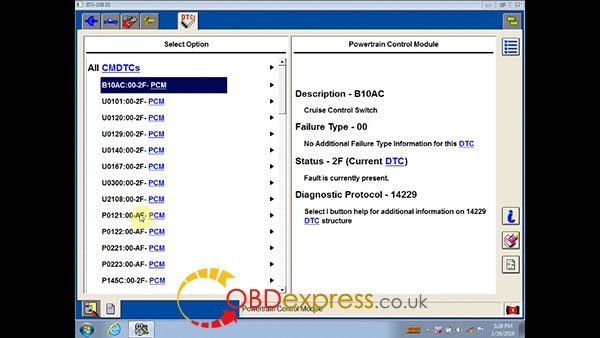
All CMDTCs explanation

ford-ids-108-win7-download-install-18 ford-ids-108-win7-download-install-19 ford-ids-108-win7-download-install-20
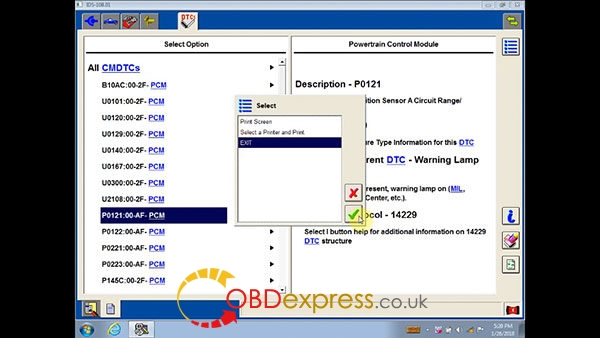
Exit
ford-ids-108-win7-download-install-21

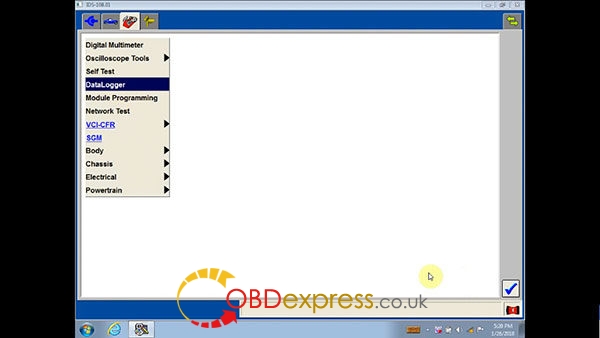
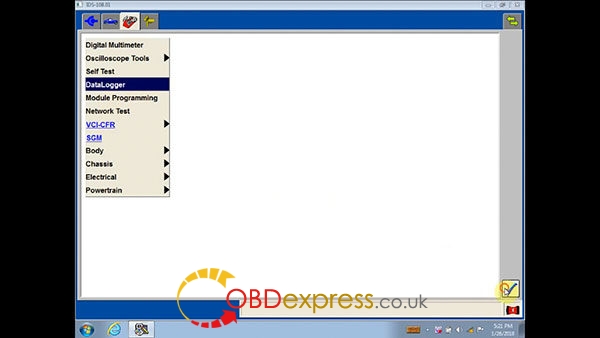
How to do DataLogger in IDS 108 Ford:

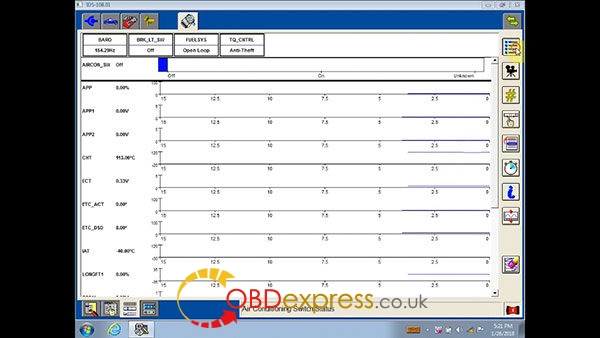
DataLogger

ford-ids-108-win7-download-install-22 ford-ids-108-win7-download-install-31
Body, Chassis, Electrical, Powertrain, Module
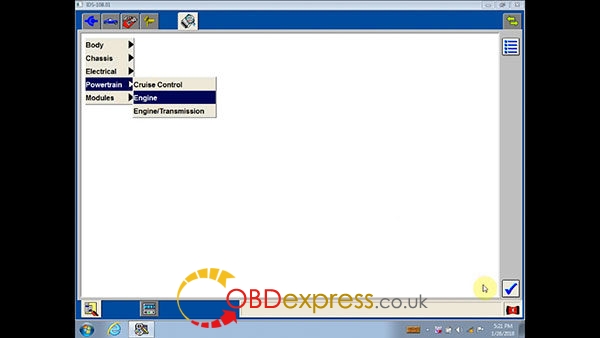
Engine
ford-ids-108-win7-download-install-32
Set the ignition switch to ON

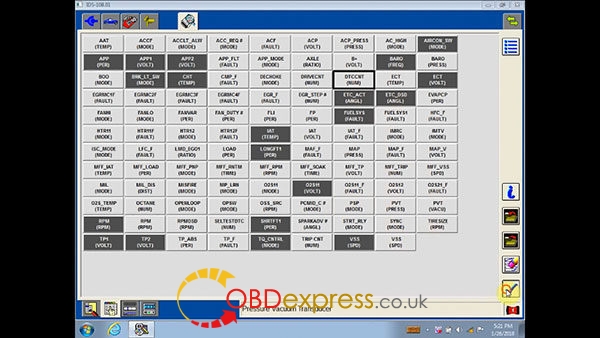
DTCCAT
ford-ids-108-win7-download-install-34 ford-ids-108-win7-download-install-35
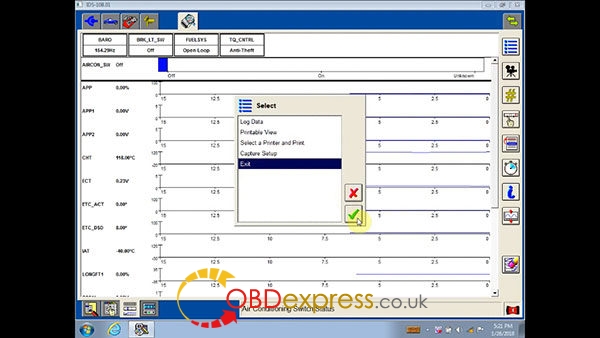
Exit
ford-ids-108-win7-download-install-36 ford-ids-108-win7-download-install-37

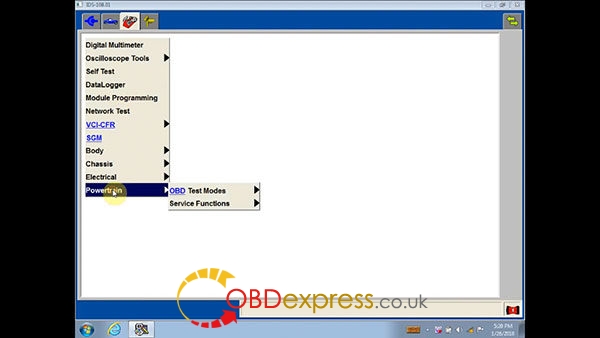
How to use Ford IDS108 for Powertrain:

Powertrain
ford-ids-108-win7-download-install-23

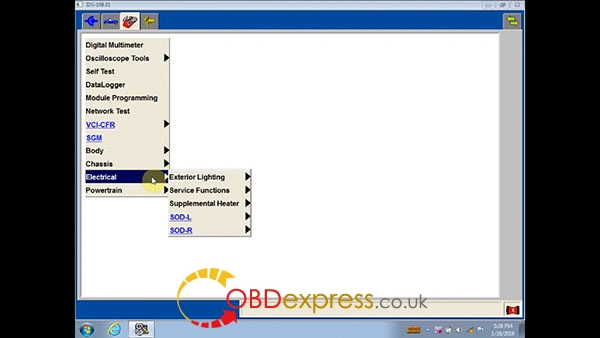
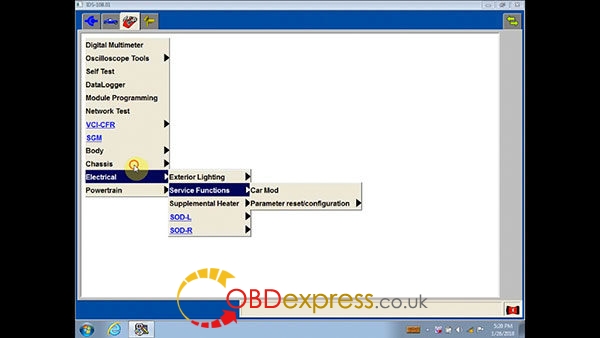
How to use IDS108 software for Electrical:

Electrical
ford-ids-108-win7-download-install-24 ford-ids-108-win7-download-install-25

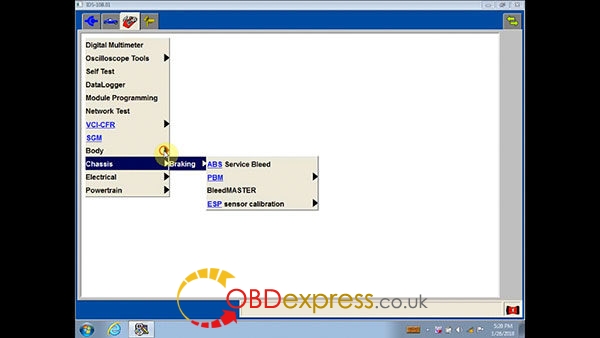
How to use IDS108 software for Ford Chassis:

Chassis:
ford-ids-108-win7-download-install-26

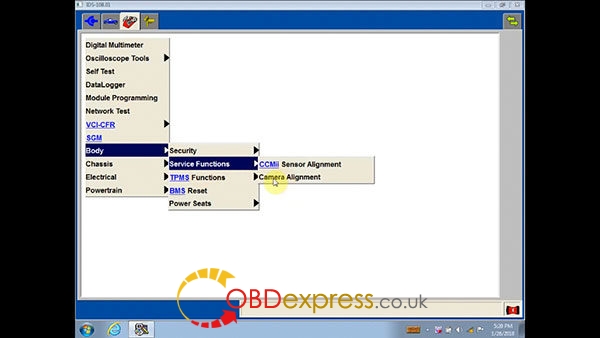
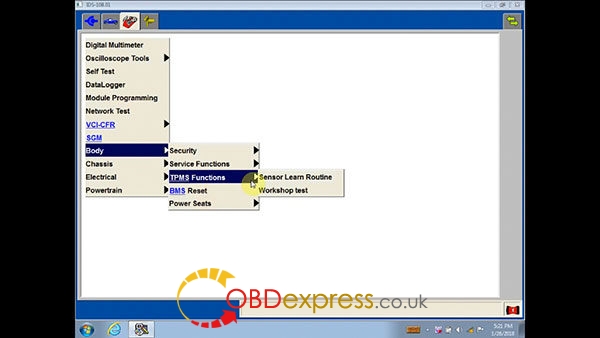
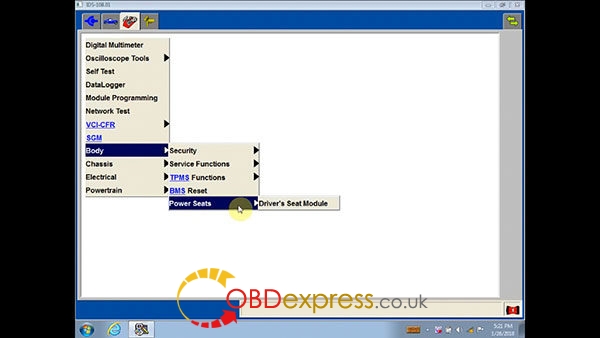
How to use VCM 2 IDS108 for Ford Body:

Body: Security, Service Functions, BMS Reset, Power Seats
ford-ids-108-win7-download-install-27 ford-ids-108-win7-download-install-28 ford-ids-108-win7-download-install-29

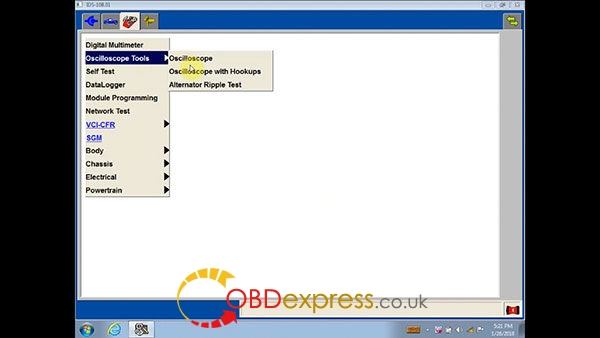
How to use Ford IDS 108 Oscilloscope Tools:

Oscilloscope Tools: Oscilloscope, Oscilloscope with Hookup, Alternator Ripple Test
ford-ids-108-win7-download-install-30

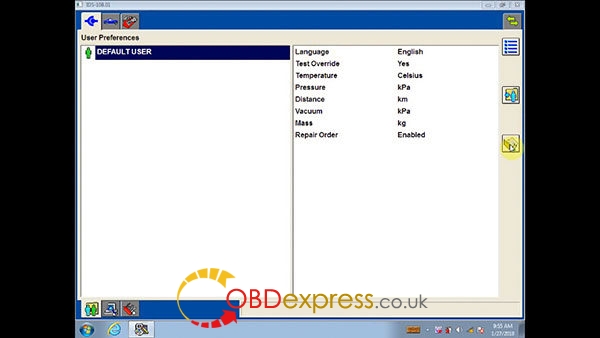
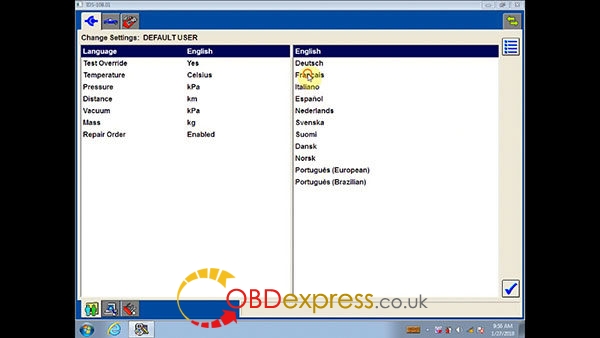
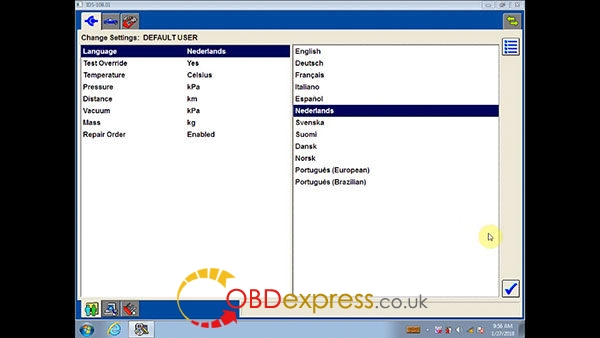
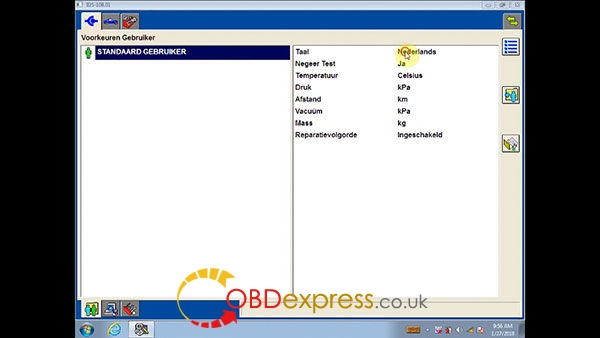
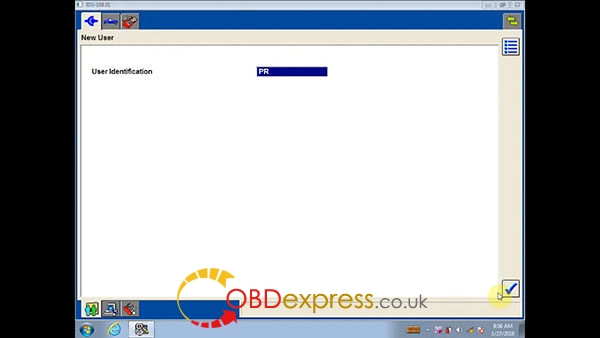
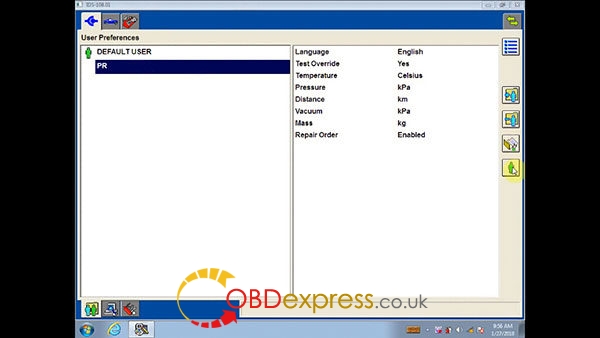
How to change a language in Ford IDS program:
ford-ids-108-win7-download-install-38 ford-ids-108-win7-download-install-39


IDS languages: English, Deutsch, Fransis, Italiano, Español, Nederlands, Svenska, Suoml, Dansk, Norsk, Portugues (European), Portugues (Brazilian)

Select any language you need
ford-ids-108-win7-download-install-40 ford-ids-108-win7-download-install-41 ford-ids-108-win7-download-install-42 ford-ids-108-win7-download-install-43


http://blog.obdexpress.co.uk/2018/02/01/how-to-use-vcm-2-ford-ids-108-01-software/

Free Download Ford VCM2 V126 to Solve License Expired Issue
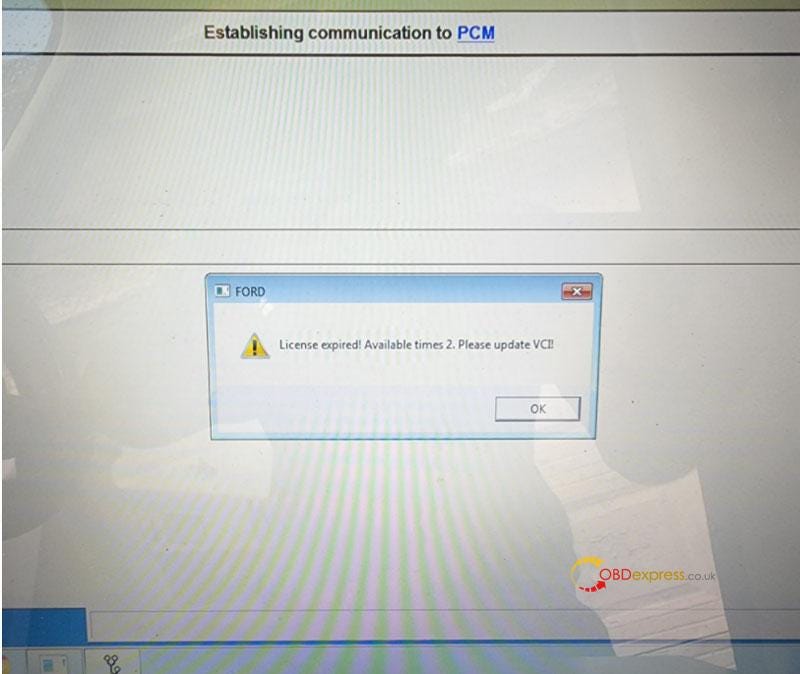
  Problem: My Ford VCM2 software has popped up an attention: “License expired! Available times 2. Please update VCI!” What does this mean?...