Shipping from UK NO TAX

Showing posts with label Ford vcm2 clone. Show all posts

Friday, 16 July 2021

VCM2: Make complete clone of PCM from Ford F150 4.6L

 Wanna know how to read with BDM tool or make complete clone of PCM from Ford F150 4.6L...


What is the requirements?

You will need Ford vcm2 or vxdiag (ford).

Just use IDS v.86 Programmable Module Installation to install and program your replacement PCM. for PCM replace no need 2 keys, if GEM changed, need 2 keys to start the car. BCM / GEM is Immo yes 2 keys but change PCM no 1 Key is just Parameter reset use existing Key.


You will need C80 reprogramming files to change calibration Via PMI but if P/N same just adapt with IDS V86 10 minute time wait in Body / security / parameter reset.


IDS v86 is including C80 reprogramming file:

ford v86: https://share.weiyun.com/5m6QIc4

Password:j75sp7

reprogram PCM for Ford F150 4.6L

How to reprogram Ford PCM with VCM2 clone, this article list the step-by-step procedure:

http://blog.obdexpress.co.uk/2017/09/14/how-to-reprogram-ford-pcm-with-vcm2-clone/


Also you can refer to How to reprogram PCM for Ford Focus 2008 with VCMI IDS:

http://blog.obdexpress.co.uk/2015/10/30/how-to-reprogram-pcm-for-ford-focus-2008-with-vcm2-ids/

Monday, 20 July 2020

Ford / Mazda IDS V118.01 Download Free and Install

Ford IDS 118.01 is verified working fine with VCM2 clone and vxdiag vcx nano by running with win7/8/10 32/64bit.
Download Free 
Ford IDS V118.01
Mazda V118.01
IDS patch for VCX Nano
 
OS: win7/8/10 32/64bit 
 
Language:  English, German, French, Italian, Dutch, Spanish, Swedish, Finnish, Danish, Norwegian, Portuguese etc
 Compatible with VXDIAG VCX NANO for Ford Mazda (USB & Wifi version ) vxdiag vcx pro, vxdiag full, vcm2 clone (using vxdiag solution) etc.

How to install Ford /MAZDA IDS V118.01 For VXDIAG VCX NANO & VCM2  video: https://youtu.be/0UoRauT_N5E

Procedure


Open the folder "Ford Install", then "IDS-118.01_Full".


How to install Ford IDS 118.01 win7/8/10 32/64bit 1


Choose IDS language.
How to install Ford IDS 118.01 win7/8/10 32/64bit  2


Recommend you restart the computer.
How to install Ford IDS 118.01 win7/8/10 32/64bit 3


Welcome to the InstallShield Wizard for IDS.
How to install Ford IDS 118.01 win7/8/10 32/64bit 4

Agree the license agreement.

Please select the destination drive, then click on "Next".

IDS is configuring your new software installation.
How to install Ford IDS 118.01 win7/8/10 32/64bit  5


Updating the database.
How to install Ford IDS 118.01 win7/8/10 32/64bit 6

Reboot the computer.
How to install Ford IDS 118.01 win7/8/10 32/64bit  7

Open the folder "Ford Install", then "VCI_Software_1.0.0.0." to install until successfully.
How to install Ford IDS 118.01 win7/8/10 32/64bit 8

How to install Ford IDS 118.01 win7/8/10 32/64bit  9

How to install Ford IDS 118.01 win7/8/10 32/64bit  10

Open "VCI Manager (Ford) 19.04.28".
How to install Ford IDS 118.01 win7/8/10 32/64bit 11

How to install Ford IDS 118.01 win7/8/10 32/64bit  12

Open "F-M_Patch" then copy "IDSPatch" and paste it on the desktop.
How to install Ford IDS 118.01 win7/8/10 32/64bit  13You need to connect VCM2 (or vxdiag vcx nano) and car now.

Open "IDSPatch" on the desktop, choose "Dealer type: non-dealer" and Country "Botswana", then "confirm".
How to install Ford IDS 118.01 win7/8/10 32/64bit 14
Welcome to IDS 118.01 menu.
How to install Ford IDS 118.01 win7/8/10 32/64bit 15
Choose "Start New session" -> "All other", then confirm.

Operation in process.

Vehicle specification.
How to install Ford IDS 118.01 win7/8/10 32/64bit 17

Confirm.
How to install Ford IDS 118.01 win7/8/10 32/64bit 17
Self test.
How to install Ford IDS 118.01 win7/8/10 32/64bit  18
Powertrain -> Engine -> retrieve CMDTCs.
How to install Ford IDS 118.01 win7/8/10 32/64bit 19
Set the ignition switch to ON.
How to install Ford IDS 118.01 win7/8/10 32/64bit  20

Reading continuous DTCs.
How to install Ford IDS 118.01 win7/8/10 32/64bit  21

How to install Ford IDS 118.01 win7/8/10 32/64bit  22

Job is done.


Good luck!

Source:https://www.obdexpress.co.uk/service/how-to-install-and-download-ford-mazda-v118.html


Tuesday, 20 November 2018

How to get VCM2 IDS to communicate with Ford PCM

Tips & guides: VCM2 clone communicates with PCM and reprograms PCM with IDS software

VCM2 communication issues:
VCM2 IDS cannot communicate with PCM:

No puede establecerse comunicación con el PCM
De el contacto
(Error message in English: Communication with the PCM can not be established
From the contact)
XENTRY-Connect-C5-FBA-konfiguration-fa0003e

VCM2 Tech support:
It’s normal…
You can use the old version IDS 86 software
or
the latest version IDS 108 CD tested by pros
Then the problem will be solved!

Tips: PCM reprogramming with VCM2 SP177-c
Step 1: Select the toolbox tab at the top of the screen
Step 2: Select “Module Programming”
Step 3: Select the tick mark or the Enter key
Step 4: Select “Module Reprogramming”
Step 5: From the fly out menu, select the type of module to be reprogrammed
Step 6: Select the tick mark or the Enter key
Step 7: The application will compare the current calibration level to the latest one available for that vehicle. A message will appear.
Step 7A: If no later calibration is available, a message will appear indicating this. Select the tick mark or the Enter key to return to the Module Programming menu.
Step 7B: If a later calibration is available, a message will appear asking if you want to reprogram the module with this calibration. If you do not want to reprogram the module, select “No”. You will be returned to the Module Programming menu.
Step 8: If you want to reprogram the module, select “Yes” in response to the question “Do you want to program the vehicle with this calibration?”
Step 9: Make sure that an Internet connection has been established and then select “Confirm”
Step 10: You will be presented with a screen that recommends that you carry out Self Test. If you choose to complete this test, you will receive a list of Diagnostic Trouble Codes (DTC’s) that have been set on the vehicle. When finished viewing this list, select “Exit”.
Step 11: Follow the on-screen instructions to prepare the vehicle and turn the ignition key off and on.
Select the tick mark or the Enter key after each one.
Step 12: If necessary, apply the reprogramming label to the PCM
If an emissions recall has been performed or a required emissions-related TSB has been completed, an Authorized Modification label must be placed on the PCM. These labels can be purchased at the parts counter of a Ford or Lincoln/Mercury dealership.
Step 13: Select the tick mark or the Enter key to return to the Module Programming menu.


Btw, PCM unrecognized solution:

Wednesday, 25 July 2018

How to check if you have VCM2 SP177-C best quality?

Here, obdexpress.co.uk will help you guys to check if you have the best China clone VCM2 SP177-C.

  1. Equipped yourself with PCB knowledge:
http://blog.obdexpress.co.uk/2018/07/25/how-to-confirm-a-printed-circuit-board-pcb/
  1. Disassemble your VCM2 clone unit

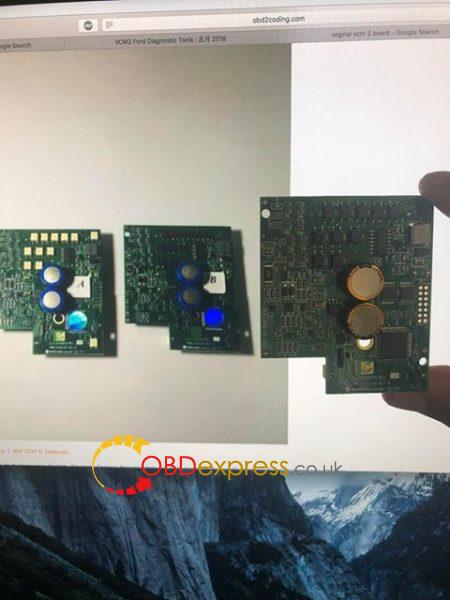
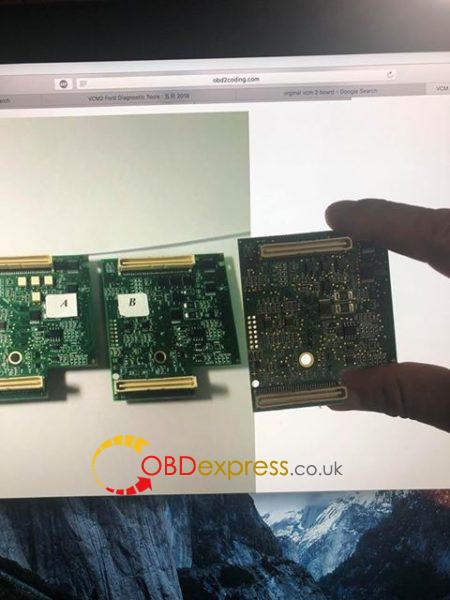
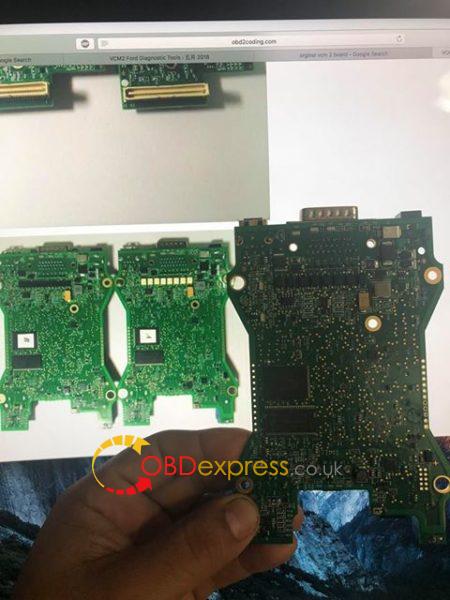
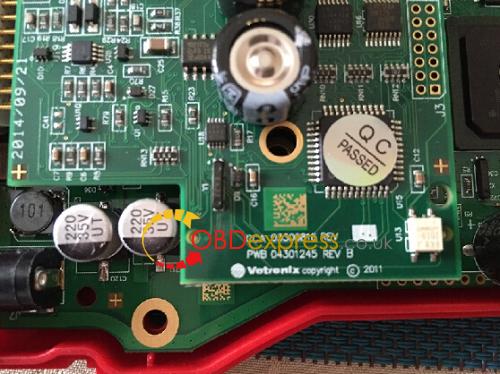
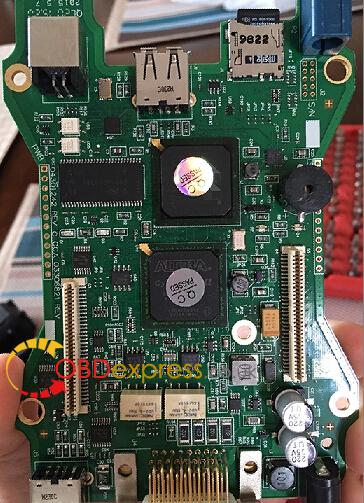
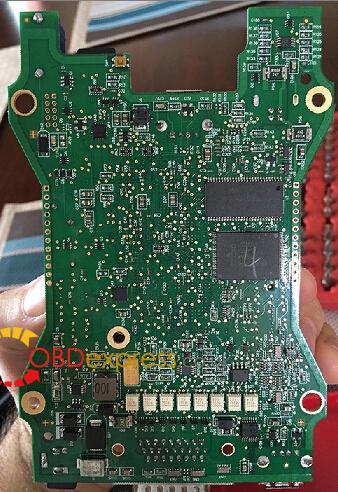
  1. Check components on the main board, compared with PCB displayed here:
http://blog.obdexpress.co.uk/2018/04/14/vcm-ii-sp177-c-pcb/
IMPORTANT: the VCM2 factory tries his best to improve the quality, so it’s natural to get the unit with a bit difference and the board you have might be kind of different from that in the link above.

DO NOT compare VCM2 from others with that from obdexpress.co.uk!

Received complaints from a customer that
he used the site: http://www.obd2coding.com/vcm-ii-rotunda-2-in-1-diagnostic-tool-jlr-vcm-ii-mazda-vcm-ii-ford-ids-vcm-ii-p-964.html
NOT http://www.obdexpress.co.uk/wholesale/ford-vcm-ii-diagnostic-tool-wifi-card.html
BUT he complained a lot of his VCM2 SP177-C, saying it’s fake SP177-C....
sp177-c-or-sp177-2-1

sp177-c-or-sp177-2-3
DISCLAIMER: obdexpress.co.uk is a reliable site to purchase VCM2 china clone, a man of his word to trust in. NO WORRIES! Lots of people talk about it via http://mhhauto.com/ e.g. http://mhhauto.com/Thread-VCM2-Ford-Diagnostic-Clone-Model-SP177C-SP177C1-Where-to-buy


  1. Check the source of VCM2 SP177-C:
http://www.obdexpress.co.uk/wholesale/ford-vcm-ii-diagnostic-tool-wifi-card.html

vcm2-sp177-c-pcb-3
vcm2-sp177-c-pcb-4

  1. What’s your next option if you cannot have SP177-C:http://www.obdexpress.co.uk/wholesale/ford-vcm-ii-diagnostic-tool-wifi-card.html

SP177-2  is a new VCM2 interface, released in the year 2018.
It’s produced by the same manufacturer as SP177-C1.
You can have one for tests if you like something new.
For quality and security, VCM2 SP177-C1 or SP177-C is your best option.
Why:  http://blog.obdexpress.co.uk/2017/12/27/vcm-ii-sp177-c1/
Where: http://blog.obdexpress.co.uk/2017/05/05/where-to-buy-ford-vcm2-clone-sp177c-or-sp177c1/


This blog from OBDexpress.co.uk office blog:http://blog.obdexpress.co.uk/2018/07/25/how-do-you-confirm-vcm2-sp177-c-best-quality/

Sunday, 6 May 2018

Ford VCM2 clone works with Suzuki DST2 software!

This is how I made Ford VCMII clone  work with the Suzuki sdt2 software.
I used the best from vcmii clone china….yep..it’s SP177-C1.
I used a dell latitude d630 with clean install windows 7 32 bit professional.
I installed the Ford V.86.
I opened the Bosch VCI manager and updated the VCM II to work with Ford v86.
I installed Suzuki sdt2 software, and when the install asked me to connect the VCMII i connected the Ford VCM II and continued with the install.
Once it finished I opened the BOSCH folder, then VTX-VCI sub folder, and copied the entire contents of the VCI Software (Ford-VCM-II) to VCI Software (6516-Suzuki). Replace all files !!!
the Suzuki software will see the VCMII as the OEM VCM even that the VCI manager say its a Ford VCMII.
The regedit will look into the folder VCI Software (6516-Suzuki) for all the drivers, and it will load the Ford drivers to make it work.
DONE.
Remember to open VCI manager and connect the VCM before you go into the Suzuki or Ford software.
I connected a 2015 car non USA model and worked perfectly.
I also connected other USA model cars and worked OK.

I tried on Suzuki swift 2001 g10a, Suzuki wagon R 1.3 2007′,and Suzuki swift diesel 1.3 2011,ALL WORKED FINE!

I mean it’s not able to do programming VIN or ecu programming if data base is NOT had it….but diagnose is ok……..

I hope this helps !!

Btw, you can change Ford VCM2 Device type to SDT2 VCI , Then you have a SDT2 VCI.
So if dongle not work while it is a Ford vcm2, maybe it would work after you changed the VCM2 Device type to SDT2 VCI.

Cheers..

Note: VCM2 clone can work with a lot of software. Look here: http://blog.obdexpress.co.uk/2018/04/25/ford-vcm-ii-a-lot-of-software-can-work-with/


http://www.obdexpress.co.uk/service/ford-vcmii-clone-works-with-suzuki-dst2-software-28702.html

Friday, 13 April 2018

VCM II SP177-C1 vs. SP177-C

Folks talks a lot about China clone VCM II SP177-C and SP177-C1, saying they’re best VCM II from China. So, how much do you know about the two units? And what’s the different? Laura here will explain it from you all.

VCM II SP177C1:
VCM II SP177C:

Actually, SP177-C is same as SP177-C1.
Look here
– SP177-C1 PCB:
– SP177-C PCB:
http://blog.obdexpress.co.uk/2018/04/14/vcm-ii-sp177-c-pcb/
C1 have usb sticker for wifi. That is, only usb wifi is not included in SP177-C.
It’s only difference.

Both are Quality A version.

But vcm ii sp177-c1 is the most populous version, which supports WIFI and comes with the best PCB design. Works faster and more stable than any other units.

Thursday, 4 May 2017

Real Reviews of VCM2 clone SP177C SP177C1

Credits to all contributors/customers share good experience at http://mhhauto.com/Thread-VCM2-Ford-Diagnostic-Clone-Model-SP177C-SP177C1-Where-to-buy

Does anyone own a SP177-C or SP177-C1 VCM2 clone? I read online that those are the best.
Where should I buy it?
I asked a few sellers on AliExpress about that version and they seem to not know about it.
I found it on obdexpress site. Did anyone buy from them? Are they serious?
I’d really appreciate if someone bought a good clone to let me know where should I buy from.


Review 1:
I have bought this : http://www.obdexpress.co.uk/wholesale/f…-card.html and they sent what was advertised. I have done module programming on 10+ cars (both PWM and CANbus) and every time without any issues. And I will do programming 100% as original

Review 2:
That’s what I’m ordering today too http://www.obdexpress.co.uk/wholesale/f…-card.html

Review 3:
i bought this and it works perfect and fast http://www.obdexpress.co.uk/wholesale/w…a-ids.html

Review 4:
Hmmm in fact 99%
My sp177c1 failed an 08 escape PCM the other day.
That’s the only problem i had so far

Review 5:
Here is a SP177 version with wifi , I have bought the same without wifi 1 month ago and it can do programming and everything a genuine VCM2 can link : http://www.obdexpress.co.uk/wholesale/b…rsion.html

Review 6:
Those are the 4 famous china VCM2 clone

Vcm2 of high quality – it’s the BEST

SP177C1 is like this most:
Vcm2 of good quality

Vcm2 of middle quality


Vcm2 of very bad quality

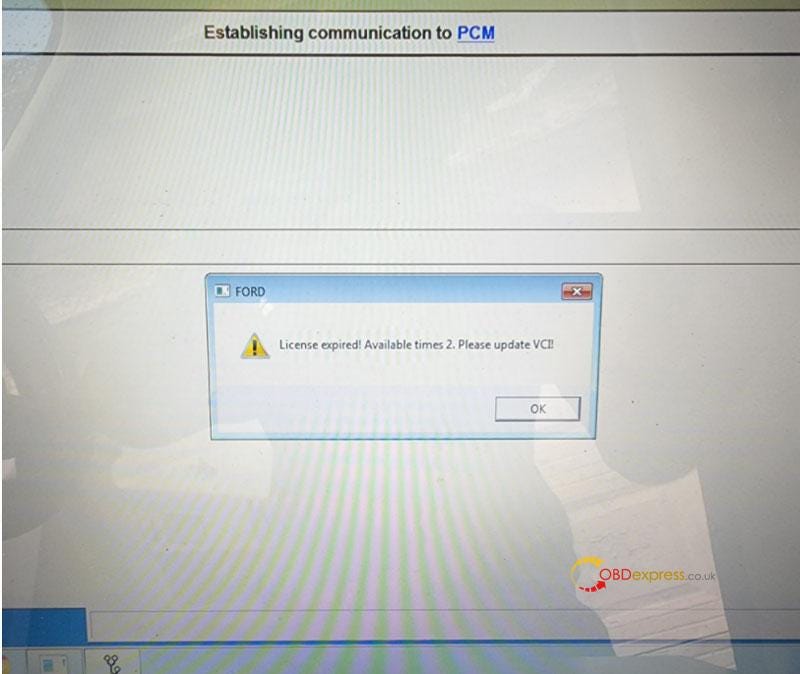
Free Download Ford VCM2 V126 to Solve License Expired Issue

  Problem: My Ford VCM2 software has popped up an attention: “License expired! Available times 2. Please update VCI!” What does this mean?...