Shipping from UK NO TAX

Showing posts with label ford diagnostic tool. Show all posts

Sunday, 11 March 2018

Can I have a chance of having GM GDS2 & Tech2Win on VCM2 units?

Source from some forum:

This might have been answered before. I’ve searched the forum with no luck. Has anyone been able to make this work? Thank you

mattydr67:
No it cannot works
Good luck

Vagvag:
With Tech2win it will work 40-50% and with Gds 2 it will work 20-30%……..
Because missing Gm protocol (chip) from the Vcm II vs. with Gm Mdi…….
Go and make scan with your Vcm II with Tech2win with one Corsa-d and look with how many Ecu’s it will not communicate!!!!!!!!!1
Then go with one Astra-h then with one Vectra-c and look the same!!!!!!!!!!!

Regards………

Freduegut:
hello !! friends ..
I commented that if it works 100% as I have the 2 teams VCM2 and MDI !!!
works Tech 2 win, SPS, recalibration 100% ….

I just tested it to American ..not sure things in Europe..maybe not works because of Full different protocols
Good luck

Obdexpress.co.uk:
It should be not.
Better run GDS2 and Tech2Win with GM MDI interface and use Ford/Mazda IDS with VCM2 unit


Good luck!


Thursday, 14 September 2017

New Ford module programming with VCM2 clone


VCM2 manual: NEW module programming using Ford IDS software

You need Ford IDS software, original or crack
You need a HQ VCM2 clone SP177-C or SP177-C1
(VCM2 genuine definitely is the best solution, but a high-quality one should work great, not  cheap crappy tools)

When installing a new module, the configuration data must be transferred from the old module beforeit is removed. The new module will then be programmed using this information. Use the followingsteps to download the data from the existing module and program the new module:

Step 1: Select the toolbox tab at the top of the screen
Step 2: Select "Module Programming"
Step 3: Select the tick mark or the Enter key
Step 4: Select "Programmable Module Installation"
Step 5: From the fly out menu, select the type of module to be installed
Step 6: Select the tick mark or the Enter key
Step 7: Make sure that an Internet connection has been established and then select "Confirm"
Step 8: Follow the instructions on the screen. These instructions vary depending on the type ofmodule being installed.

NOTE: Be sure to follow these instructions in the exact order that they are given. Do not remove or install any modules until instructed to do so. Failure to follow the instructions correctly may result in the configuration data received during vehicle identification to program incorrectly or not at all.

Step 8A: If Ford Module Programming was unable to retrieve the configuration data due to either
a non-functioning module or a module which was removed before the data was retrieved, the
application will request that the user obtain information from the Module Build Data (As Built)
database. Access to this database is included in the Ford Module Programming subscription. The
data can be obtained by doing the following:
  • Go to the Motorcraft website (www.motorcraft.com)
  • Go to the Technical Resources area
  • Log in using the User ID and password set up when the subscription to Ford Module
Programming was purchased
  • Select "My Subscriptions"
  • Select "Ford Module Programming"
  • Select "Module Build Data (as Built)"
  • Enter the Vehicle Identification Number (VIN) and select "Submit"
  • Write down the information that was requested by the Ford Module Programming
application
  • Return to the Ford Module Programming application and enter the requested information
Step 9: If necessary, apply the reprogramming label to the PCM
If an emissions recall has been performed or a required emissions-related TSB has been completed,
an Authorized Modification label must be placed on the PCM. These labels can be purchased at the
parts counter of a Ford or Lincoln/Mercury dealership.

NOTE: It is the responsibility of the technician to inform the customer that Ford Motor Company will not reimburse the vehicle owner for field service actions that are not completed at a Ford or Lincoln/Mercury dealership.

Step 10: When the "Programming complete" screen appears, select the tick mark or the Enterkey. If PATS initialization is required, Ford Module Programming may automatically link to the PATSparameter reset and/or key relearn procedures. Two ignition keys may be required to complete the
PATS initialization procedure.
Step 10A: If PATS initialization is required and Ford Module Programming did not link to thatfunctionality automatically, go to the Toolbox tab and select "PATS". Detailed instructionsare provided in Section 6.

Good tips you may need:

Where to buy VCM2 clone of high quality?

Where to buy VCM2 clone at the best price?

Ford IDS crack download: (TRY ON YOUR OWN RISK)
IDS 104:

How to reprogram Ford PCM with vcm2 clone:


Thursday, 31 August 2017

How to use VCM II solve Ford truckF250 error “PCM is unrecognized”

Happy to share something of my VCM2 clone with my Ford super duty F250 6.7 diesel 2011.

When i connect the VCM up to my truck i get this error message:
The unique PCM identifier is unrecognized
Verify that the latest CD has been loaded onto the diagnostic tester.
Where supported, update the diagnostic tester with the lasted calibration files from
Non-North American Ford and Mazda technicians should contact their local hotline.

My model: super duty truck 6.7 diesel, the2011 year model

What i tried:
start new session, dont select anything— FAILED

Use a never version of ids— FAILED
im using hanson2000’s vmware IDS 101.04 or 05


SOLVED!!!!!!!!!!!!!
it’s a clone issue some are blacklisted especially on the never v. Of ids.
It worked!!!IDS v86.01 in vmware with c81 calibration. It let me connect to my 6.7 diesel 2011 super duty!! I was able to turn on regen and reset my tire and axle ratio!!!

Thanks thanks thanks!! To all in the MH community!

(Solved) Ford VCM IDS 3: “not VCI” and “not license”

This Tech support from obdexpress.co.uk:
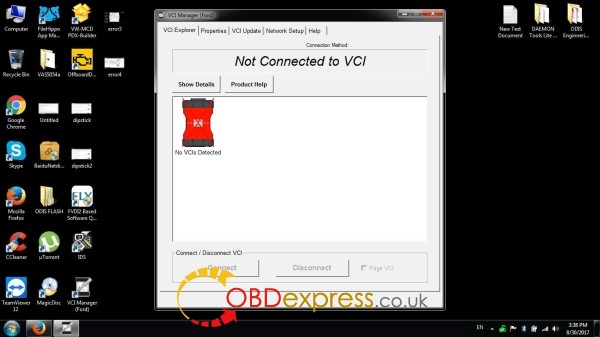
Ford VCM IDS 3 with error messages “not VCI” and “not license”

Not connected to VCI (No VCIs Detected)
SOLVED-VCM-IDS-3-not-VCI-not-license-1
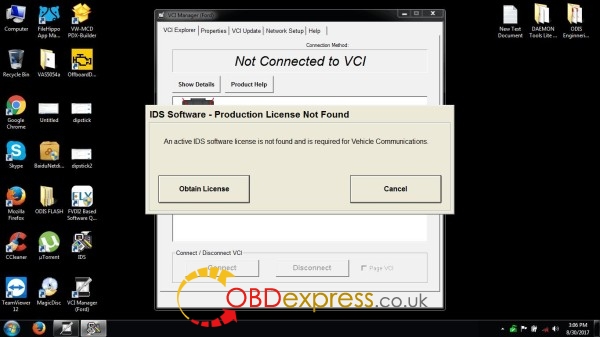
IDS software - Production license not found
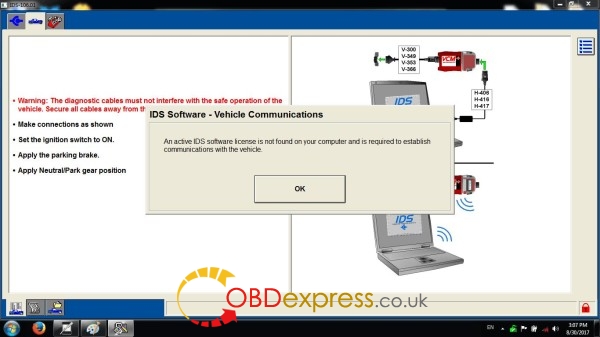
An active IDS software license is not found and is required for vehicle communications.
SOLVED-VCM-IDS-3-not-VCI-not-license-2 SOLVED-VCM-IDS-3-not-VCI-not-license-3
Solved!!
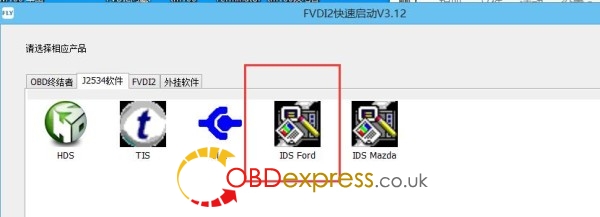
Go to FVDI2 Quick Start, then IDS Ford, then start Ford diagnostics here.
Works like a charm.
SOLVED-VCM-IDS-3-not-VCI-not-license-4
Note: you are supposed to update IDS software before using FVDI2 Quick Start

Terminator Software V4.6 Download Link:

ford ids v106.01 software download free: (only tested with VCM IDS 3 )

mazda v106 software download free: (only tested with VCM IDS 3 )

Monday, 21 August 2017

VCM2 WiFi Where to buy at the best price?

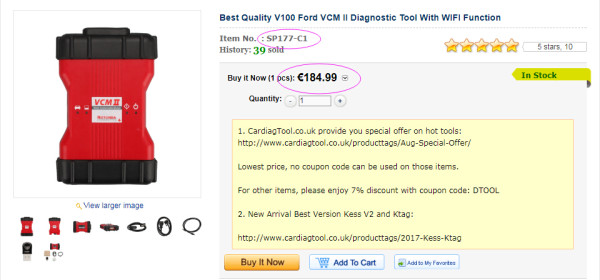
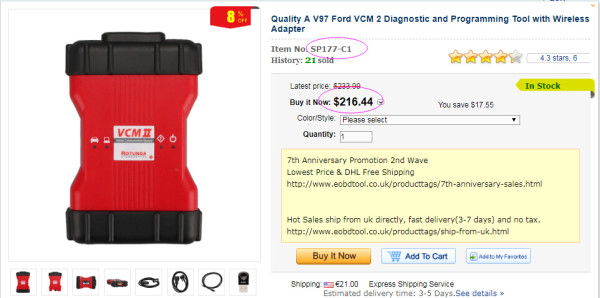
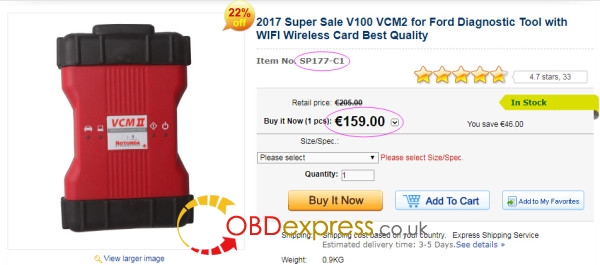
VCM2 clone SP177-C1 best price: 159 euro (08/22/2017-08/31/2017)
the price back to 205 euro after 10 days
VCM2 Wifi SP177-C1 is the best quality China clone
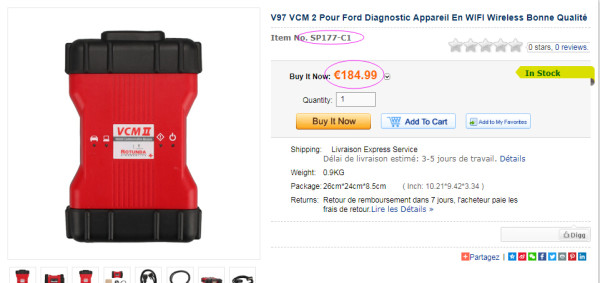
Cloned VCM2 SP177C1 from others: most are more expensive than VCM2 clone in obdexpress.co.uk
VCM2-clone-SP177C1-cardiagtool VCM2-clone-SP177C1-cardiagtool VCM2-clone-SP177C1-obd2france
VCM2 SP177C1 best price from us: 159 euro
(cheaper price only because this item is listed for promotion, not quality issues)
VCM2-clone-SP177C1-obdexpress

DO NOT SAY YOU CAN BUY A VCM2 clone AT A BETTER PRICE
QUALITY TALKS. You will get what you pay for.


- What else you should read before your purchase:
VCM2 clone reviews:
VCM2 SP177C or SP177C1 reviews:

VCM2 clone reviews:
VCM2 SP177C or SP177C1 reviews:

Src:
http://blog.obdexpress.co.uk/2017/08/22/vcm2-clone-where-to-buy-at-the-best-price/

Sunday, 6 August 2017

How to program PCM with As-Built data with Ford IDS software

To program the PCM with As-built information via Ford IDS software:

Enter the Module Programming menu in the IDS
Select As-built and then the PCM
If the PCM is not listed in the As-built tab, use the following process to manually enter the information.
Select the IDS logo in the upper left corner of the screen.
Select the Pocket knife in the lower left corner of the screen.
Select “Update/Special Functions” from the Miscellaneous menu.
 Ford IDS software update function

Enter 53061 into the blue box and click the tick.
Return to the Module Programming menu and select PMI then the PCM.
Follow the on-screen prompts and enter the As-built data when the IDS prompts for it. This data is available from the OASIS report for this VIN under the As-built tab. It has also been provided below for your convenience.
Complete the PMI process by continuing with the on-screen directions.
To get As Built Data, go to Motorcraftservice.com
Under Non-Subscription Resources, click on Quick Guides.
13 dot points down you will fine, “Module Build Data (As-Built)”
Enter “Module Build Data”
Enter the VIN# then submit. As Built Data will then be displayed in IDS interface.


Some codes/info listed here as an example:

Use at your own risk!

00008 – IDENT_APPLY_PATCHES_VIA_FLOPPY
00009 – IDENT_UPDATE_PTU_FROM_FLOPPY
32287 – IDENT_LAUNCH_APP_MCP_REST
60503 – IDENT_LAUNCH_REGRESSION_RECORDER
27001 – IDENT_LAUNCH_FT_EOL_CP_MZ_01
32247 – IDENT_LAUNCH_SERVICE_ROUT
24040 – IDENT_ENABLE_VALIDATION_MODE
24041 – IDENT_DISABLE_VALIDATION_MODE
23761 – IDENT_LAUNCH_APP_FT_DATA_REC
81105 – IDENT_LAUNCH_APP_TSBSSMLIST
53061 – IDENT_IGNORE_MCP_INHALE
26503 – IDENT_LAUNCH_APP_VVAG
81104 – IDENT_LAUNCH_APP_FTW_SHIP_MODE_01
29124 – IDENT_TOGGLE_FORD_EXTRANET_INTRANET_URLS
60274 – IDENT_LAUNCH_CCC_ENGINEERING_APP
32227 – IDENT_LAUNCH_PROPSHAFT_BAL_APP
48712 – IDENT_LAUNCH_GENERIC_RCM_CONFIG_APP
28487 – IDENT_LAUNCH_FT_ICCMSP_MZ_01_APP
28097 – IDENT_TOGGLE_BATTERY_MONITORING
70263 – IDENT_LAUNCH_GENERIC_DIAG
71863 – IDENT_MCP1
63296 – IDENT_LAUNCH_FTW_RKE_MODE_01_APP
08080 – IDENT_LAUNCH_DETAILED_NETWORK_DIAG
32267 – IDENT_LAUNCH_APP_ENG_SUPPORT_TOOL


Wednesday, 19 July 2017

How to choose a good Ford diagnostic tool?

Ford diagnostic tool UK, which one? Here is a Ford diagnostic tool buying guide, which may help make a wiser decision on Ford scan tool.


Ford diagnostic tool cost:less than $300


Top 3 Ford scan tool:
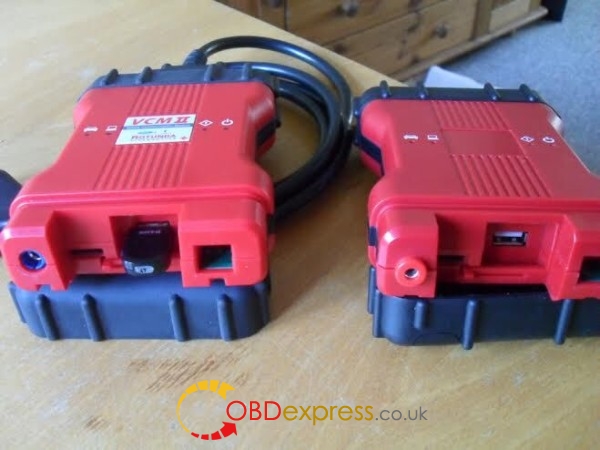
Ford vcm 2
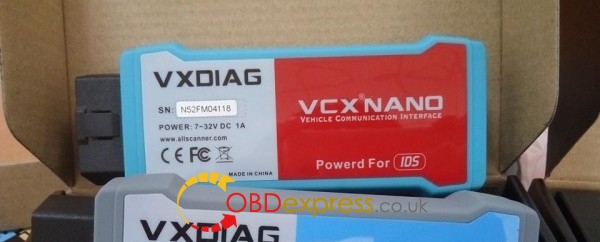
Vxdiag vcx nano Ford/Mazda
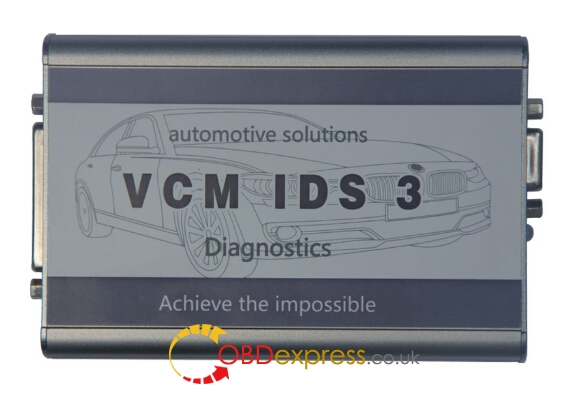
Vcm IDS 3


Ford vcm 2 clone: Most populous Ford diagnostic tool

China vcm2 price: around $85 – $200
(the price mainly differs from quality and factory)

Vcm2 clone for sale:
Ford vcm2
Vcm2 for Ford & Mazda 2 in 1
vcm2-clone

Vxdiag vcx nano for Ford/Mazda: Cheaper but works as a vcm2

Vxdiag vcx nano Ford/Mazda diagnostic tool is the redesign of vcm2, as functional as vcm2 but Vxdiag vcx nano usually is much more cheaper.

Vxdiag vcx nano Ford/Mazda price: less than $100

Vxdiag nano Ford/Mazda for sale:

vxdiag-vcx-nano-wifi-ford-mazda
FLY VCM IDS 3: Newest & Update most frequently

VCM IDS 3 is the newest Ford/Mazda scan tool released at 2017, with the latest IDS software download Ford IDS 105 Mazda IDS 104, sw usually newer than vcm2

VCM IDS 3 price: $297

VCM IDS 3 for sale:
vcm-ids-3

Newest Ford diagnostic software download free
Ford IDS 105.02A download free:
Mazda IDS 105.02 download link 1:
Mazda IDS 105.02 download link 2:
Note: not sure of the security and anyone should try it at your own risk!


Ford diagnostic tool review

VCM II is more stable and good clone.

Full chip high quality VCM II. But be careful programming!

VCMII is just slightly more expensive then VXDIAG nano.
As far as I know, it’s hard to find a good independent workshop there. There’s a few in RJ though

VCX nano is a VCM emulator. You can not use use it for anything else. But you you use VCM II for Pass Thru for Xentry, HDS, TIS, GS2, JLR, Volvo, Nissan Consult and numerous other. Right people can flash it Maserati/Ferrari.
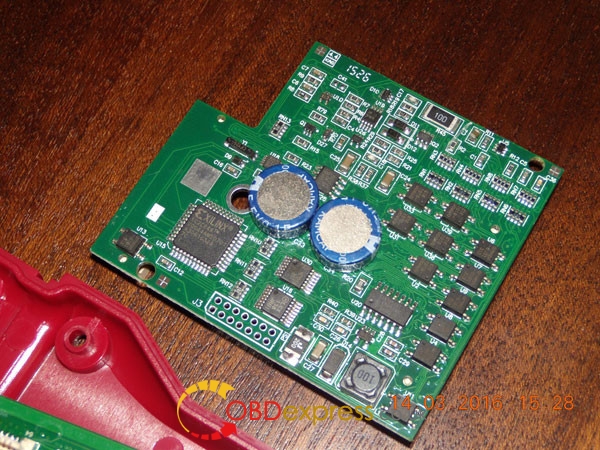
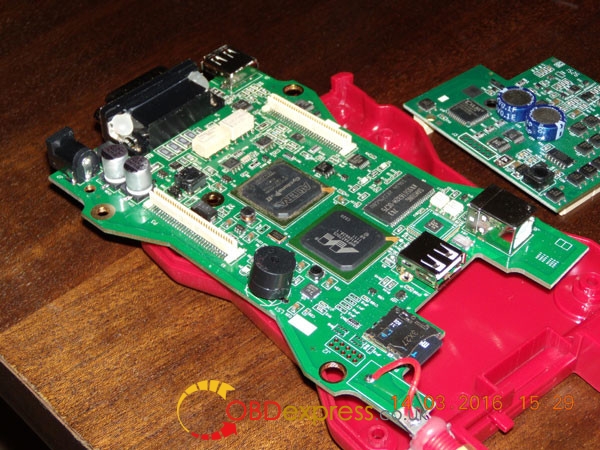
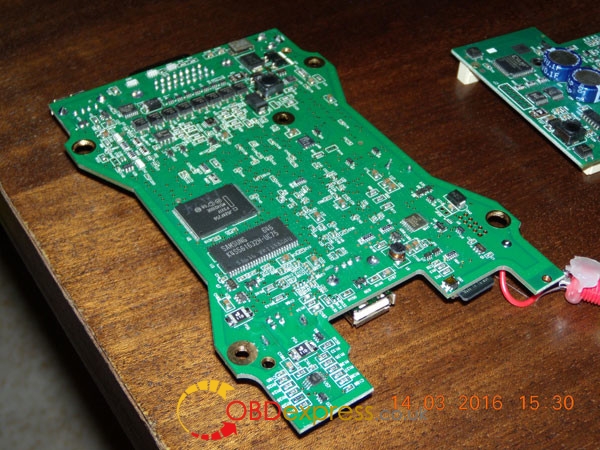
VCM II is the right choice, if you buy a good clone with a good serial.SP177 should be OK. I can confirm this. Good pcb.
VCM2-SP177-pcb-1 VCM2-SP177-pcb-2 VCM2-SP177-pcb-3


In summary,
All Ford diagnostic tools above all share the same IDS software and functions. All work no issues in obdii diagnostic, key programming, ecu programming/reprogramming. But clearly, they are different from the software version, firmware quality, stability and speed… the PRICE tells. You will get what you pay for. And yes, you need LUCK with items from China.

Free Download Ford VCM2 V126 to Solve License Expired Issue

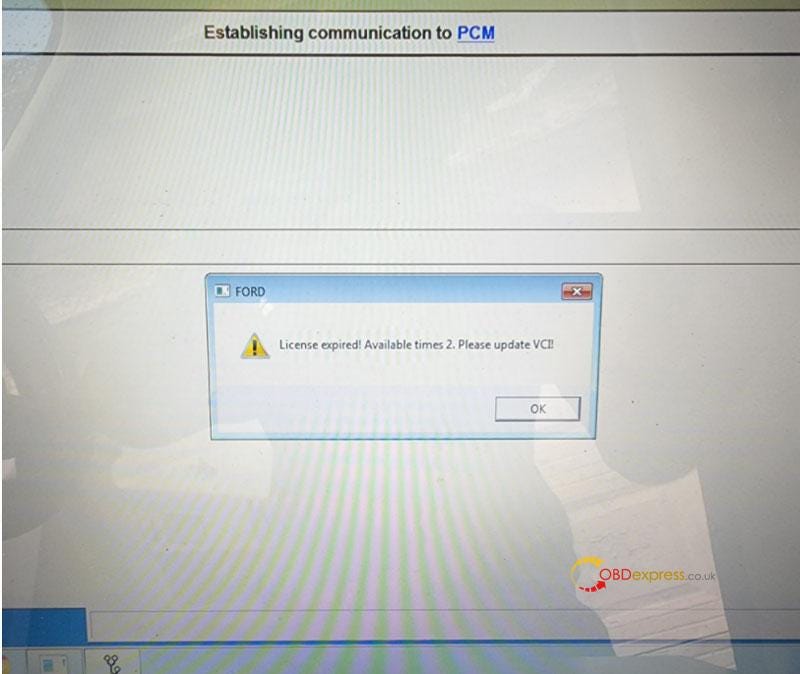
  Problem: My Ford VCM2 software has popped up an attention: “License expired! Available times 2. Please update VCI!” What does this mean?...